 2d514a2a3e
* feat: companion alert system for browser extension

* feat: implement cross-platform alert system for browser extension

- Add ToastContext.tsx with global toast provider for managing toast state
- Add GlobalToast.tsx centered toast component for web/browser extension
- Modify alerts.ts to be platform-aware (native Alert on iOS/Android, toast on web)
- Add showInfoAlert function for informational alerts
- Update _layout.tsx to wrap app with ToastProvider and GlobalToast
- Export new toast context and alert functions from index files

* style: update toast to white/black design system

- Use white background with gray border
- Use black icons and text colors
- Match companion app design system

* open the toast at the center

* refactor: migrate event-types/index.tsx to unified alert system

- Remove inline toast state (showToast, toastMessage) and showToastMessage function
- Remove inline toast UI component at the end of the file
- Migrate all platform-specific Alert.alert calls to showSuccessAlert/showErrorAlert
- Simplifies code by using cross-platform alert utilities

* refactor: migrate useBookingActions.ts to unified alert system

- Add showSuccessAlert import alongside showErrorAlert
- Migrate all Alert.alert('Success', ...) calls to showSuccessAlert
- Affected handlers: handleSubmitReschedule, handleRescheduleWithValues,
  handleSubmitCancel, handleCancelBooking, handleConfirmBooking,
  handleRejectBooking, handleSubmitReject, handleInlineConfirm

* refactor: migrate useBookingActionModals.ts to unified alert system

- Add showSuccessAlert import alongside showErrorAlert
- Migrate all Alert.alert('Success', ...) calls to showSuccessAlert
- Affected handlers: handleAddGuests, handleUpdateLocation, handleMarkNoShow

* refactor: migrate medium-priority screens to unified alert system

- AvailabilityDetailScreen.ios.tsx: 4 Alert.alert calls migrated
- RescheduleScreen.tsx/ios/android: 3 Alert.alert calls each migrated
- EditLocationScreen.tsx/ios: 4 Alert.alert calls each migrated
- Removed unused Alert imports

* refactor: migrate remaining medium-priority screens to unified alert system

- BookingDetailScreen.tsx: 2 Alert.alert calls migrated
- AvailabilityListScreen.tsx: 1 Alert.alert call migrated
- AddGuestsScreen.tsx: 6 Alert.alert calls migrated
- MarkNoShowScreen.tsx: 2 Alert.alert calls migrated
- EditAvailabilityOverrideScreen.tsx: 4 Alert.alert calls migrated
- EditAvailabilityOverrideScreen.ios.tsx: 2 Alert.alert calls migrated
- Removed unused Alert imports

* refactor: migrate medium-priority app routes to unified alert system

Migrated 24 app route files from direct Alert.alert() calls to unified
alert utilities (showErrorAlert, showSuccessAlert, showInfoAlert):

- reschedule.tsx, reschedule.ios.tsx
- edit-location.tsx, edit-location.ios.tsx
- add-guests.tsx, add-guests.ios.tsx
- mark-no-show.tsx, mark-no-show.ios.tsx
- view-recordings.tsx, view-recordings.ios.tsx
- meeting-session-details.tsx, meeting-session-details.ios.tsx
- profile-sheet.tsx, profile-sheet.ios.tsx
- edit-availability-hours.tsx, edit-availability-hours.ios.tsx
- edit-availability-day.tsx, edit-availability-day.ios.tsx
- edit-availability-name.tsx, edit-availability-name.ios.tsx
- edit-availability-override.tsx, edit-availability-override.ios.tsx
- booking-detail.tsx, booking-detail.ios.tsx

This enables cross-platform alert support where native Alert.alert()
is used on iOS/Android and toast notifications on web (browser extension).

* refactor: migrate lower-priority components to unified alert system

Migrated Alert.alert calls to showSuccessAlert/showErrorAlert/showInfoAlert in:
- event-types/index.ios.tsx (copy link, delete, duplicate success alerts)
- event-type-detail.tsx (copy link, create/update success, validation errors, info alerts)
- deep-links.ts (error alerts for link failures)
- LogoutButton.tsx (error alert)
- BookingModals.tsx and .ios.tsx (report booking info alerts)
- AdvancedTab.tsx (info alert for unsaved event type)
- BookingListScreen.tsx (success/error/info alerts for bulk actions)

Confirmation dialogs with buttons remain as Alert.alert (out of scope).

* fix: restore Alert import for confirmation dialogs, migrate remaining info alert

- AdvancedTab.tsx: Added back Alert import for timezone selector confirmation dialog (out of scope), migrated private links info alert to showInfoAlert
- deep-links.ts: Added back Alert import for request reschedule confirmation dialog (out of scope)

* some ui dialoes were missing

* fixed multi hours ui issues on Availability detail page for android and web

* fix: add __DEV__ check for web platform in showErrorAlert

The showErrorAlert function was showing error toasts to production users
on web platform, bypassing the __DEV__ check that exists for native platforms.
This fix ensures consistent behavior across all platforms - error alerts
are only shown in development mode, while production errors are logged
to console.

Co-Authored-By: unknown <>

* fix: address dual dialogs on web and onSuccess timing issues

- BookingDetailScreen.tsx: Add Platform.OS === 'android' guard to AlertDialog
  to prevent dual dialogs rendering on web (FullScreenModal + AlertDialog)
- RescheduleScreen.android.tsx: Restore original Alert.alert with callback
  to ensure onSuccess() is called after user dismisses the alert

Co-Authored-By: unknown <>

* fix: restore Alert.alert with callback for native platforms

- AddGuestsScreen.tsx: Use platform-specific handling - Alert.alert with
  callback on iOS/Android, showSuccessAlert on web
- EditAvailabilityOverrideScreen.tsx: Same pattern - wait for user
  acknowledgment on native platforms before calling onSuccess()

Co-Authored-By: unknown <>

* fix: RescheduleScreen timing and GlobalToast useState pattern

- RescheduleScreen.tsx: Use platform-specific handling - Alert.alert with
  callback on iOS/Android, showSuccessAlert on web
- GlobalToast.tsx: Replace useMemo with useState for Animated.Value to
  guarantee instance preservation across renders

Co-Authored-By: unknown <>

* fix: restore Alert.alert with callback for iOS delete success

AvailabilityDetailScreen.ios.tsx: Use Alert.alert with callback to ensure
router.back() is called after user dismisses the success alert

Co-Authored-By: unknown <>

* feat(companion): new event type detail page  (#26678)

* fix: skip stale run-ci label check on workflow re-runs (#26590)

* fix: trust community PRs when maintainer pushes to the branch

When a maintainer merges main into a community PR branch, the new SHA
invalidates the run-ci label timing check because the label was added
before the new push. This fix adds a check to trust the PR if the
person who pushed the latest commit has write access.

This handles the case where a maintainer:
- Merges main into a community PR to resolve conflicts
- Pushes any changes to help the contributor

The security model is maintained because:
- Only users with write access can trigger this trust
- The maintainer has reviewed the code by pushing to it

Co-Authored-By: anik@cal.com <adhabal2002@gmail.com>

* fix: skip stale label check on workflow re-runs

Instead of implicitly trusting maintainer pushes (which could be just
a sync action without code review), use github.run_attempt to detect
re-runs. If run_attempt > 1, it means the workflow was explicitly
re-triggered (via run-ci.yml or manual re-run), so we skip the stale
label check.

This avoids the need to remove and re-add the 'run-ci' label after
syncing a community PR with main, while keeping the explicit approval
flow intact.

Co-Authored-By: anik@cal.com <adhabal2002@gmail.com>

* Simplify comment about re-runs in PR workflow

---------

Co-authored-by: Devin AI <158243242+devin-ai-integration[bot]@users.noreply.github.com>
Co-authored-by: Keith Williams <keithwillcode@gmail.com>

* fix: Text cursor barely visible in calendar event name field (#26563)

* fix: cursor visibility in input fields

* fix: cursor visibility in input fields with suffix addons

* fix: text cursor visibility in input fields

---------

Co-authored-by: Keith Williams <keithwillcode@gmail.com>

* fix: PayPal setup page inconsistent spacing and button styling (#26612)

* chore: api v2 generate swagger only in dev (#26617)

* feat: add BUILD_FROM_BRANCH option to release-docker workflow (#26615)

* feat: add BUILD_FROM_BRANCH option to release-docker workflow

Co-Authored-By: keith@cal.com <keithwillcode@gmail.com>

* fix: sanitize branch names with slashes for valid Docker tags

Co-Authored-By: keith@cal.com <keithwillcode@gmail.com>

* refactor: extract common logic into prepare job to avoid duplication

Co-Authored-By: keith@cal.com <keithwillcode@gmail.com>

---------

Co-authored-by: Devin AI <158243242+devin-ai-integration[bot]@users.noreply.github.com>

* feat: add Cubic AI to Devin review integration workflow (#26618)

* feat: add Cubic AI to Devin review integration workflow

Co-Authored-By: keith@cal.com <keithwillcode@gmail.com>

* fix: update permissions to allow posting PR comments

Co-Authored-By: keith@cal.com <keithwillcode@gmail.com>

* fix: remove sensitive API response logging from CI workflow

Address Cubic AI review feedback: Remove the debug log that outputs the
full Devin API response, which could expose sensitive session tokens or
authentication data in CI logs. The session URL is still logged when
successfully extracted.

Co-Authored-By: unknown <>

---------

Co-authored-by: Devin AI <158243242+devin-ai-integration[bot]@users.noreply.github.com>

* chore: enable/disable slots workers via env (#26621)

* chore: enable/disable slots workers via env

* fix: address Cubic AI review feedback

- Fix incorrect JSDoc comment for getSerializableContext method
- Remove debug console.log statement from slots controller
- Fix port suffix condition to preserve original behavior

Co-Authored-By: unknown <>

---------

Co-authored-by: Devin AI <158243242+devin-ai-integration[bot]@users.noreply.github.com>

* chore: USE_POOL env var for api v2 prisma pooling

* fix list numbering in Manual setup section of README (#26620)

* Revert "chore: USE_POOL env var for api v2 prisma pooling"

This reverts commit a97092619f.

* feat: limit badges to 2 with hover/click popover in UserListTable (#26556)

* feat: limit badges to 2 with hover tooltip in UserListTable

Co-Authored-By: eunjae@cal.com <hey@eunjae.dev>

* refactor: reuse LimitedBadges component with clickable popover for mobile

Co-Authored-By: eunjae@cal.com <hey@eunjae.dev>

* refactor: move LimitedBadges to components/ui with hover+click support

Co-Authored-By: eunjae@cal.com <hey@eunjae.dev>

* refactor: fix Biome lint issues in LimitedBadges and UserListTable

- Refactor LimitedBadges to concrete component with BadgeItem type
- Move exports to end of files to comply with useExportsLast rule
- Add explicit types to callback parameters for useExplicitType rule
- Convert nested ternary to if-else for filterType calculation
- Remove unused imports (Row, Table types)
- Update ResponseValueCell and UserListTable to use new LimitedBadges API

Co-Authored-By: eunjae@cal.com <hey@eunjae.dev>

* fix: add proper types for filterType and getFacetedUniqueValues

- Add FilterType import from @calcom/types/data-table
- Add FacetedValue import from @calcom/features/data-table
- Type filterType as FilterType to allow reassignment to different ColumnFilterType values
- Type getFacetedUniqueValues return as Map<FacetedValue, number>

Co-Authored-By: eunjae@cal.com <hey@eunjae.dev>

* add vertical gap

* fix: address code review feedback for LimitedBadges

- Add index to id for unique keys in ResponseValueCell.tsx
- Restore orange variant for group options in UserListTable.tsx
- Fix useMemo dependency array (add t, remove dispatch)
- Fix import ordering with biome
- Convert ternary operators to if-else statements for biome compliance

Co-Authored-By: eunjae@cal.com <hey@eunjae.dev>

* refactor: remove id from BadgeItem type, use label as key

- Remove id field from BadgeItem type in LimitedBadges
- Use label as React key instead of id
- Remove unused rowId parameter from ResponseValueCell
- Update all consumers to not pass id field

Co-Authored-By: eunjae@cal.com <hey@eunjae.dev>

* refactor: use index for key instead of label in LimitedBadges

Co-Authored-By: eunjae@cal.com <hey@eunjae.dev>

* Revert "refactor: use index for key instead of label in LimitedBadges"

This reverts commit 1daaac47e596fd6b5f5583847faa10b131783349.

---------

Co-authored-by: Devin AI <158243242+devin-ai-integration[bot]@users.noreply.github.com>

* chore: add database-backed feature flag for sidebar tips section (#26516)

* chore: remove tips section from sidebar

Co-Authored-By: amit@cal.com <samit91848@gmail.com>

* chore: add feature flag for sidebar tips section

Co-Authored-By: amit@cal.com <samit91848@gmail.com>

* chore: use database-backed feature flag for sidebar tips section

Co-Authored-By: amit@cal.com <samit91848@gmail.com>

---------

Co-authored-by: Devin AI <158243242+devin-ai-integration[bot]@users.noreply.github.com>

* feat: add automated stale PR completion workflow with Devin API (#26627)

* feat: add stale PR completion workflow with Devin API

Co-Authored-By: anik@cal.com <adhabal2002@gmail.com>

* feat: only trigger for community PRs (non-calcom org members)

Co-Authored-By: anik@cal.com <adhabal2002@gmail.com>

* refactor: use author_association pattern from pr.yml for community check

Co-Authored-By: anik@cal.com <adhabal2002@gmail.com>

* refactor: simplify workflow - use community label check and let Devin gather PR details

Co-Authored-By: anik@cal.com <adhabal2002@gmail.com>

---------

Co-authored-by: Devin AI <158243242+devin-ai-integration[bot]@users.noreply.github.com>

* feat: add Devin PR conflict resolver workflow (#26624)

* feat: add Devin PR conflict resolver workflow

Adds a GitHub Actions workflow that automatically detects PRs with merge
conflicts and spins up Devin sessions to resolve them.

How it works:
1. Triggers on push to main branch (when main updates could cause conflicts)
2. Also supports manual trigger via workflow_dispatch
3. Lists all open PRs and checks their mergeable status
4. For PRs with conflicts (mergeable=false, mergeable_state=dirty):
   - Checks if a Devin session was already created (avoids duplicates)
   - Creates a new Devin session with instructions to resolve conflicts
   - Posts a comment on the PR with the Devin session link

The workflow follows the same pattern as cubic-devin-review.yml for
consistency.

Co-Authored-By: Devin AI <158243242+devin-ai-integration[bot]@users.noreply.github.com>

* fix: skip draft PRs in conflict detection workflow

Co-Authored-By: Devin AI <158243242+devin-ai-integration[bot]@users.noreply.github.com>

* refactor: use GitHub Search API to filter draft PRs at API level

Instead of filtering draft PRs in the loop, use the GitHub Search API
with 'draft:false' filter which is more efficient as it filters at the
API level rather than fetching all PRs and filtering locally.

Co-Authored-By: Devin AI <158243242+devin-ai-integration[bot]@users.noreply.github.com>

* style: remove explanatory comments from workflow

Co-Authored-By: Devin AI <158243242+devin-ai-integration[bot]@users.noreply.github.com>

* style: remove all unnecessary explanatory comments

Co-Authored-By: Devin AI <158243242+devin-ai-integration[bot]@users.noreply.github.com>

* refactor: use GraphQL for batched PR fetching and labels for tracking

Co-Authored-By: Devin AI <158243242+devin-ai-integration[bot]@users.noreply.github.com>

* feat: add support for resolving conflicts on fork PRs

Co-Authored-By: Devin AI <158243242+devin-ai-integration[bot]@users.noreply.github.com>

* fix: check response.ok before parsing Devin API response

Address Cubic AI review feedback: Add response.ok check before parsing
the response body to explicitly handle HTTP error status codes from the
Devin API. This distinguishes API failures (authentication errors,
server errors) from successful responses that might be missing expected
fields.

Co-Authored-By: unknown <>

* fix: improve Devin API error logging with PR number

Co-Authored-By: unknown <>

* feat: add pr_number input for manual fork PR conflict resolution

Co-Authored-By: Devin AI <158243242+devin-ai-integration[bot]@users.noreply.github.com>

* feat: add maximum 15 PRs safety net limit

Co-Authored-By: Devin AI <158243242+devin-ai-integration[bot]@users.noreply.github.com>

---------

Co-authored-by: Devin AI <158243242+devin-ai-integration[bot]@users.noreply.github.com>

* feat: make stale PR workflow fork-aware with workflow_dispatch support (#26633)

* feat: make stale PR workflow fork-aware with workflow_dispatch support

Co-Authored-By: Devin AI <158243242+devin-ai-integration[bot]@users.noreply.github.com>

* fix: add null check for pr.head.repo in stale PR workflow

When a fork is deleted after a PR is created, pr.head.repo can be null
(documented GitHub API behavior). This would cause a TypeError when
accessing properties like fork, full_name, or clone_url.

Added a null check that fails gracefully with a clear error message
when the source repository has been deleted.

Co-Authored-By: unknown <>

---------

Co-authored-by: Devin AI <158243242+devin-ai-integration[bot]@users.noreply.github.com>

* feat: reuse existing Devin session for Cubic AI review feedback (#26632)

* feat: reuse existing Devin session for Cubic AI review feedback

Co-Authored-By: Devin AI <158243242+devin-ai-integration[bot]@users.noreply.github.com>

* refactor: parse session ID from PR comments instead of API search

Co-Authored-By: Devin AI <158243242+devin-ai-integration[bot]@users.noreply.github.com>

* fix: add error handling for message send API call in Cubic-Devin workflow

Addresses Cubic AI review feedback: The POST request to send a message
to an existing Devin session now checks the HTTP status code and fails
the step if the message wasn't delivered successfully. This prevents
posting a misleading comment claiming feedback was sent when the API
call actually failed.

Co-Authored-By: unknown <>

---------

Co-authored-by: Devin AI <158243242+devin-ai-integration[bot]@users.noreply.github.com>

* chore: Remove stale label when work is completed (#26638)

* chore: Remove stale label when work is completed

* Mark as ready for review too

* feat: add retry mechanism for UNKNOWN mergeable status PRs (#26635)

* feat: add retry mechanism for UNKNOWN mergeable status PRs

Co-Authored-By: Devin AI <158243242+devin-ai-integration[bot]@users.noreply.github.com>

* fix: remove redundant filtering logic for unknown mergeable status PRs

Address Cubic AI review feedback by:
- Having processPR return isTargetPR in the unknown case (like the conflict case)
- Simplifying the main loop to just push PRs to unknownPRs without re-checking
  draft status and devin label (already checked in processPR)

Co-Authored-By: unknown <>

---------

Co-authored-by: Devin AI <158243242+devin-ai-integration[bot]@users.noreply.github.com>

* chore: Add sentry http integration (#26634)

* chore: ignore fork PRs in devin-conflict-resolver workflow (#26640)

Co-authored-by: Devin AI <158243242+devin-ai-integration[bot]@users.noreply.github.com>

* limits and advanced tabs

* availability tab

* basics tab

* black toggles!!

* new recurring, others tab and update basics

* version 1

---------

Co-authored-by: Anik Dhabal Babu <81948346+anikdhabal@users.noreply.github.com>
Co-authored-by: Devin AI <158243242+devin-ai-integration[bot]@users.noreply.github.com>
Co-authored-by: Keith Williams <keithwillcode@gmail.com>
Co-authored-by: Anshumancanrock <109489361+Anshumancanrock@users.noreply.github.com>
Co-authored-by: Morgan <33722304+ThyMinimalDev@users.noreply.github.com>
Co-authored-by: cal.com <morgan@cal.com>
Co-authored-by: Anas Najam <129951478+anzz14@users.noreply.github.com>
Co-authored-by: Eunjae Lee <hey@eunjae.dev>
Co-authored-by: Amit Sharma <74371312+Amit91848@users.noreply.github.com>
Co-authored-by: Volnei Munhoz <volnei@cal.com>

* fix: address Cubic AI review feedback

- Add HTTP error handling for Devin API session creation in cubic-devin-review.yml
- Localize aria-label in LimitedBadges.tsx using t() function
- Improve Docker tag sanitization in release-docker.yaml to handle all invalid characters
- Avoid logging raw error objects and sensitive API response data in devin-conflict-resolver.yml
- Fix selectedSchedule dependency array issue in event-type-detail.tsx using ref pattern

Co-Authored-By: unknown <>

* chore: add translation key for show_x_more_items aria-label

Co-Authored-By: unknown <>

* fix: reset schedule ref on id change and add i18n pluralization

- Reset hasAutoSelectedScheduleRef when event type id changes to handle component reuse
- Add proper i18next pluralization variants (_one/_other) for show_x_more_items

Co-Authored-By: unknown <>

* revert: remove i18n changes from LimitedBadges and common.json

Per user request - i18n not needed in companion for now

Co-Authored-By: unknown <>

---------

Co-authored-by: Devin AI <158243242+devin-ai-integration[bot]@users.noreply.github.com>
Co-authored-by: Anik Dhabal Babu <81948346+anikdhabal@users.noreply.github.com>
Co-authored-by: Keith Williams <keithwillcode@gmail.com>
Co-authored-by: Anshumancanrock <109489361+Anshumancanrock@users.noreply.github.com>
Co-authored-by: Morgan <33722304+ThyMinimalDev@users.noreply.github.com>
Co-authored-by: cal.com <morgan@cal.com>
Co-authored-by: Anas Najam <129951478+anzz14@users.noreply.github.com>
Co-authored-by: Eunjae Lee <hey@eunjae.dev>
Co-authored-by: Amit Sharma <74371312+Amit91848@users.noreply.github.com>
Co-authored-by: Volnei Munhoz <volnei@cal.com>

Cal.com
The open-source Calendly successor.
Learn more »
Discussions
·
Website
·
Issues
·
Roadmap














About the Project
Scheduling infrastructure for absolutely everyone
The open source Calendly successor. You are in charge of your own data, workflow, and appearance.
Calendly and other scheduling tools are awesome. It made our lives massively easier. We're using it for business meetings, seminars, yoga classes, and even calls with our families. However, most tools are very limited in terms of control and customization.
That's where Cal.com comes in. Self-hosted or hosted by us. White-label by design. API-driven and ready to be deployed on your own domain. Full control of your events and data.
Recognition
Hacker News
Product Hunt



This project is tested with browserstack
Built With
Contact us
Meet our sales team for any commercial inquiries.

Stay Up-to-Date
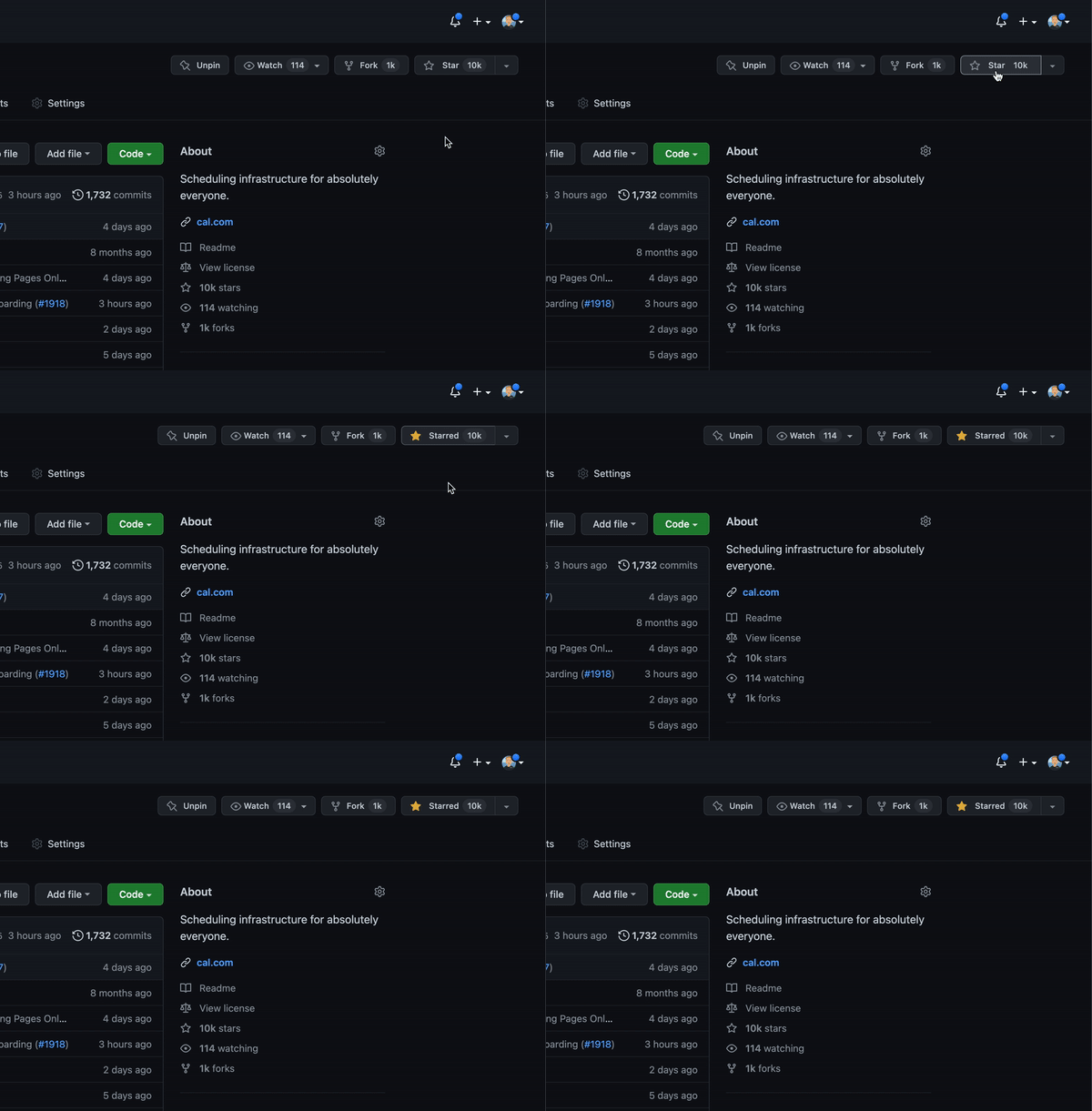
Cal.com officially launched as v.1.0 on the 15th of September 2021 and we've come a long way so far. Watch releases of this repository to be notified of future updates:
Getting Started
To get a local copy up and running, please follow these simple steps.
Prerequisites
Here is what you need to be able to run Cal.com.
- Node.js (Version: >=18.x)
- PostgreSQL (Version: >=13.x)
- Yarn (recommended)
If you want to enable any of the available integrations, you may want to obtain additional credentials for each one. More details on this can be found below under the integrations section.
Development
Setup
-
Clone the repo into a public GitHub repository (or fork https://github.com/calcom/cal.com/fork). If you plan to distribute the code, keep the source code public to comply with AGPLv3. To clone in a private repository, acquire a commercial license
git clone https://github.com/calcom/cal.com.gitIf you are on Windows, run the following command on
gitbashwith admin privileges:
>git clone -c core.symlinks=true https://github.com/calcom/cal.com.git
See docs for more details. -
Go to the project folder
cd cal.com -
Install packages with yarn
yarn -
Set up your
.envfile- Duplicate
.env.exampleto.env - Use
openssl rand -base64 32to generate a key and add it underNEXTAUTH_SECRETin the.envfile. - Use
openssl rand -base64 32to generate a key and add it underCALENDSO_ENCRYPTION_KEYin the.envfile.
- Duplicate
-
Setup Node If your Node version does not meet the project's requirements as instructed by the docs, "nvm" (Node Version Manager) allows using Node at the version required by the project:
nvm useYou first might need to install the specific version and then use it:
nvm install && nvm useYou can install nvm from here.
Quick start with yarn dx
- Requires Docker and Docker Compose to be installed
- Will start a local Postgres instance with a few test users - the credentials will be logged in the console
yarn dx
Default credentials created:
| Password | Role | |
|---|---|---|
free@example.com |
free |
Free user |
pro@example.com |
pro |
Pro user |
trial@example.com |
trial |
Trial user |
admin@example.com |
ADMINadmin2022! |
Admin user |
onboarding@example.com |
onboarding |
Onboarding incomplete |
You can use any of these credentials to sign in at http://localhost:3000
Tip
: To view the full list of seeded users and their details, run
yarn db-studioand visit http://localhost:5555
Development tip
-
Add
export NODE_OPTIONS=“--max-old-space-size=16384”to your shell script to increase the memory limit for the node process. Alternatively, you can run this in your terminal before running the app. Replace 16384 with the amount of RAM you want to allocate to the node process. -
Add
NEXT_PUBLIC_LOGGER_LEVEL={level}to your .env file to control the logging verbosity for all tRPC queries and mutations.
Where {level} can be one of the following:0for silly
1for trace
2for debug
3for info
4for warn
5for error
6for fatalWhen you set
NEXT_PUBLIC_LOGGER_LEVEL={level}in your .env file, it enables logging at that level and higher. Here's how it works:The logger will include all logs that are at the specified level or higher. For example: \
- If you set
NEXT_PUBLIC_LOGGER_LEVEL=2, it will log from level 2 (debug) upwards, meaning levels 2 (debug), 3 (info), 4 (warn), 5 (error), and 6 (fatal) will be logged. \ - If you set
NEXT_PUBLIC_LOGGER_LEVEL=3, it will log from level 3 (info) upwards, meaning levels 3 (info), 4 (warn), 5 (error), and 6 (fatal) will be logged, but level 2 (debug) and level 1 (trace) will be ignored. \
- If you set
echo 'NEXT_PUBLIC_LOGGER_LEVEL=3' >> .env
for Logger level to be set at info, for example.
Gitpod Setup
-
Click the button below to open this project in Gitpod.
-
This will open a fully configured workspace in your browser with all the necessary dependencies already installed.

Manual setup
-
Configure environment variables in the
.envfile. Replace<user>,<pass>,<db-host>, and<db-port>with their applicable valuesDATABASE_URL='postgresql://<user>:<pass>@<db-host>:<db-port>'If you don't know how to configure the DATABASE_URL, then follow the steps here to create a quick local DB
-
Download and install postgres in your local (if you don't have it already).
-
Create your own local db by executing
createDB <DB name> -
Now open your psql shell with the DB you created:
psql -h localhost -U postgres -d <DB name> -
Inside the psql shell execute
\conninfo. And you will get the following info.
-
Now extract all the info and add it to your DATABASE_URL. The url would look something like this
postgresql://postgres:postgres@localhost:5432/Your-DB-Name. The port is configurable and does not have to be 5432.
If you don't want to create a local DB. Then you can also consider using services like railway.app, Northflank or render.
-
-
Copy and paste your
DATABASE_URLfrom.envto.env.appStore. -
Set up the database using the Prisma schema (found in
packages/prisma/schema.prisma)In a development environment, run:
yarn workspace @calcom/prisma db-migrateIn a production environment, run:
yarn workspace @calcom/prisma db-deploy -
Run mailhog to view emails sent during development
NOTE: Required when
E2E_TEST_MAILHOG_ENABLEDis "1"docker pull mailhog/mailhog docker run -d -p 8025:8025 -p 1025:1025 mailhog/mailhog -
Run (in development mode)
yarn dev
Setting up your first user
Approach 1
-
Open Prisma Studio to look at or modify the database content:
yarn db-studio -
Click on the
Usermodel to add a new user record. -
Fill out the fields
email,username,password, and setmetadatato empty{}(remembering to encrypt your password with BCrypt) and clickSave 1 Recordto create your first user.New users are set on a
TRIALplan by default. You might want to adjust this behavior to your needs in thepackages/prisma/schema.prismafile. -
Open a browser to http://localhost:3000 and login with your just created, first user.
Approach 2
Seed the local db by running
cd packages/prisma
yarn db-seed
The above command will populate the local db with dummy users.
E2E-Testing
Be sure to set the environment variable NEXTAUTH_URL to the correct value. If you are running locally, as the documentation within .env.example mentions, the value should be http://localhost:3000.
# In a terminal just run:
yarn test-e2e

# To open the last HTML report run:
yarn playwright show-report test-results/reports/playwright-html-report
Resolving issues
E2E test browsers not installed
Run npx playwright install to download test browsers and resolve the error below when running yarn test-e2e:
Executable doesn't exist at /Users/alice/Library/Caches/ms-playwright/chromium-1048/chrome-mac/Chromium.app/Contents/MacOS/Chromium
Upgrading from earlier versions
-
Pull the current version:
git pull -
Check if dependencies got added/updated/removed
yarn -
Apply database migrations by running one of the following commands:
In a development environment, run:
yarn workspace @calcom/prisma db-migrate(This can clear your development database in some cases)
In a production environment, run:
yarn workspace @calcom/prisma db-deploy -
Check for
.envvariables changesyarn predev -
Start the server. In a development environment, just do:
yarn devFor a production build, run for example:
yarn build yarn start -
Enjoy the new version.
Deployment
Docker
Official support: Our team will begin to officially support the Dockerfile and docker-compose resources in this repository.
Important: Cal.com will not be supporting installations that use these Docker resources. While we provide and maintain the Docker configurations, support for Docker-based installations is the responsibility of the user.
This image can be found on DockerHub at https://hub.docker.com/r/calcom/cal.com.
Note for ARM Users: Use the {version}-arm suffix for pulling images. Example: docker pull calcom/cal.com:v5.6.19-arm.
Requirements
Make sure you have docker & docker compose installed on the server / system. Both are installed by most docker utilities, including Docker Desktop and Rancher Desktop.
Note: docker compose without the hyphen is now the primary method of using docker-compose, per the Docker documentation.
(Most users) Running Cal.com with Docker Compose
If you are evaluating Cal.com or running with minimal to no modifications, this option is for you.
-
Clone calcom/cal.com
git clone --recursive https://github.com/calcom/cal.com.git -
Change into the directory
cd cal.com -
Prepare your configuration: Rename
.env.exampleto.envand then update.envcp .env.example .envMost configurations can be left as-is, but for configuration options see Important Run-time variables below.
Push Notifications (VAPID Keys) If you see an error like:
Error: No key set vapidDetails.publicKeyThis means your environment variables for Web Push are missing. You must generate and set
NEXT_PUBLIC_VAPID_PUBLIC_KEYandVAPID_PRIVATE_KEY.Generate them with:
npx web-push generate-vapid-keysThen update your
.envfile:NEXT_PUBLIC_VAPID_PUBLIC_KEY=your_public_key_here VAPID_PRIVATE_KEY=your_private_key_hereDo not commit real keys to
.env.example— only placeholders.Update the appropriate values in your .env file, then proceed.
-
(optional) Pre-Pull the images by running the following command:
docker compose pullThis will use the default image locations as specified by
image:in the docker-compose.yaml file.Note: To aid with support, by default Scarf.sh is used as registry proxy for download metrics.
-
Start Cal.com via docker compose
(Most basic users, and for First Run) To run the complete stack, which includes a local Postgres database, Cal.com web app, and Prisma Studio:
docker compose up -dTo run Cal.com web app and Prisma Studio against a remote database, ensure that DATABASE_URL is configured for an available database and run:
docker compose up -d calcom studioTo run only the Cal.com web app, ensure that DATABASE_URL is configured for an available database and run:
docker compose up -d calcomNote: to run in attached mode for debugging, remove
-dfrom your desired run command. -
Open a browser to http://localhost:3000, or your defined NEXT_PUBLIC_WEBAPP_URL. The first time you run Cal.com, a setup wizard will initialize. Define your first user, and you're ready to go!
Updating Cal.com
-
Stop the Cal.com stack
docker compose down -
Pull the latest changes
docker compose pull -
Update env vars as necessary.
-
Re-start the Cal.com stack
docker compose up -d
(Advanced users) Build and Run Cal.com
-
Clone calcom/docker.
git clone https://github.com/calcom/cal.com.git calcom-docker -
Change into the directory
cd calcom-docker -
Update the calcom submodule. This project depends on the Cal.com source code, which is included here as a Git submodule. To make sure you get everything you need, update the submodule with the command below.
git submodule update --remote --initNote: DO NOT use recursive submodule update, otherwise you will receive a git authentication error.
-
Rename
.env.exampleto.envand then update.envFor configuration options see Build-time variables below. Update the appropriate values in your .env file, then proceed.
-
Build the Cal.com docker image:
Note: Due to application configuration requirements, an available database is currently required during the build process.
a) If hosting elsewhere, configure the
DATABASE_URLin the .env file, and skip the next stepb) If a local or temporary database is required, start a local database via docker compose.
docker compose up -d database -
Build Cal.com via docker compose (DOCKER_BUILDKIT=0 must be provided to allow a network bridge to be used at build time. This requirement will be removed in the future)
DOCKER_BUILDKIT=0 docker compose build calcom -
Start Cal.com via docker compose
(Most basic users, and for First Run) To run the complete stack, which includes a local Postgres database, Cal.com web app, and Prisma Studio:
docker compose up -dTo run Cal.com web app and Prisma Studio against a remote database, ensure that DATABASE_URL is configured for an available database and run:
docker compose up -d calcom studioTo run only the Cal.com web app, ensure that DATABASE_URL is configured for an available database and run:
docker compose up -d calcomNote: to run in attached mode for debugging, remove
-dfrom your desired run command. -
Open a browser to http://localhost:3000, or your defined NEXT_PUBLIC_WEBAPP_URL. The first time you run Cal.com, a setup wizard will initialize. Define your first user, and you're ready to go!
Configuration
Important Run-time variables
These variables must also be provided at runtime
| Variable | Description | Required | Default |
|---|---|---|---|
| DATABASE_URL | database url with credentials - if using a connection pooler, this setting should point there | required | postgresql://unicorn_user:magical_password@database:5432/calendso |
| CALCOM_LICENSE_KEY | Enterprise License Key | optional | |
| NEXT_PUBLIC_WEBAPP_URL | Base URL of the site. NOTE: if this value differs from the value used at build-time, there will be a slight delay during container start (to update the statically built files). | optional | http://localhost:3000 |
| NEXTAUTH_URL | Location of the auth server. By default, this is the Cal.com docker instance itself. | optional | {NEXT_PUBLIC_WEBAPP_URL}/api/auth |
| NEXTAUTH_SECRET | must match build variable | required | secret |
| CALENDSO_ENCRYPTION_KEY | must match build variable | required | secret |
Build-time variables
If building the image yourself, these variables must be provided at the time of the docker build, and can be provided by updating the .env file. Currently, if you require changes to these variables, you must follow the instructions to build and publish your own image.
Updating these variables is not required for evaluation, but is required for running in production. Instructions for generating variables can be found in the Cal.com instructions
| Variable | Description | Required | Default |
|---|---|---|---|
| DATABASE_URL | database url with credentials - if using a connection pooler, this setting should point there | required | postgresql://unicorn_user:magical_password@database:5432/calendso |
| MAX_OLD_SPACE_SIZE | Needed for Nodejs/NPM build options | required | 4096 |
| NEXT_PUBLIC_LICENSE_CONSENT | license consent - true/false | required | |
| NEXTAUTH_SECRET | Cookie encryption key | required | secret |
| CALENDSO_ENCRYPTION_KEY | Authentication encryption key | required | secret |
| NEXT_PUBLIC_WEBAPP_URL | Base URL injected into static files | optional | http://localhost:3000 |
| NEXT_PUBLIC_WEBSITE_TERMS_URL | custom URL for terms and conditions website | optional | https://cal.com/terms |
| NEXT_PUBLIC_WEBSITE_PRIVACY_POLICY_URL | custom URL for privacy policy website | optional | https://cal.com/privacy |
| NEXT_PUBLIC_API_V2_URL | URL for the v2 API, only required for custom integrations or custom booking experiences using Cal.com Platform | optional | |
| CALCOM_TELEMETRY_DISABLED | Allow Cal.com to collect anonymous usage data (set to 1 to disable) |
optional | |
| NEXT_PUBLIC_SINGLE_ORG_SLUG | Required if ORGANIZATIONS_ENABLED is true | optional | |
| ORGANIZATIONS_ENABLED | Used for Enterprise or Organizations plan | optional |
Troubleshooting
SSL edge termination
If running behind a load balancer which handles SSL certificates, you will need to add the environmental variable NODE_TLS_REJECT_UNAUTHORIZED=0 to prevent requests from being rejected. Only do this if you know what you are doing and trust the services/load-balancers directing traffic to your service.
Failed to commit changes: Invalid 'prisma.user.create()'
Certain versions may have trouble creating a user if the field metadata is empty. Using an empty json object {} as the field value should resolve this issue. Also, the id field will autoincrement, so you may also try leaving the value of id as empty.
CLIENT_FETCH_ERROR
If you experience this error, it may be the way the default Auth callback in the server is using the WEBAPP_URL as a base url. The container does not necessarily have access to the same DNS as your local machine, and therefor needs to be configured to resolve to itself. You may be able to correct this by configuring NEXTAUTH_URL=http://localhost:3000/api/auth, to help the backend loop back to itself.
docker-calcom-1  | @calcom/web:start: [next-auth][error][CLIENT_FETCH_ERROR]
docker-calcom-1  | @calcom/web:start: https://next-auth.js.org/errors#client_fetch_error request to http://testing.localhost:3000/api/auth/session failed, reason: getaddrinfo ENOTFOUND testing.localhost {
docker-calcom-1  | @calcom/web:start:   error: {
docker-calcom-1  | @calcom/web:start:     message: 'request to http://testing.localhost:3000/api/auth/session failed, reason: getaddrinfo ENOTFOUND testing.localhost',
docker-calcom-1  | @calcom/web:start:     stack: 'FetchError: request to http://testing.localhost:3000/api/auth/session failed, reason: getaddrinfo ENOTFOUND testing.localhost\n' +
docker-calcom-1  | @calcom/web:start:       '    at ClientRequest.<anonymous> (/calcom/node_modules/next/dist/compiled/node-fetch/index.js:1:65756)\n' +
docker-calcom-1  | @calcom/web:start:       '    at ClientRequest.emit (node:events:513:28)\n' +
docker-calcom-1  | @calcom/web:start:       '    at ClientRequest.emit (node:domain:489:12)\n' +
docker-calcom-1  | @calcom/web:start:       '    at Socket.socketErrorListener (node:_http_client:494:9)\n' +
docker-calcom-1  | @calcom/web:start:       '    at Socket.emit (node:events:513:28)\n' +
docker-calcom-1  | @calcom/web:start:       '    at Socket.emit (node:domain:489:12)\n' +
docker-calcom-1  | @calcom/web:start:       '    at emitErrorNT (node:internal/streams/destroy:157:8)\n' +
docker-calcom-1  | @calcom/web:start:       '    at emitErrorCloseNT (node:internal/streams/destroy:122:3)\n' +
docker-calcom-1  | @calcom/web:start:       '    at processTicksAndRejections (node:internal/process/task_queues:83:21)',
docker-calcom-1  | @calcom/web:start:     name: 'FetchError'
docker-calcom-1  | @calcom/web:start:   },
docker-calcom-1  | @calcom/web:start:   url: 'http://testing.localhost:3000/api/auth/session',
docker-calcom-1  | @calcom/web:start:   message: 'request to http://testing.localhost:3000/api/auth/session failed, reason: getaddrinfo ENOTFOUND testing.localhost'
docker-calcom-1  | @calcom/web:start: }

Railway

You can deploy Cal.com on Railway using the button above. The team at Railway also have a detailed blog post on deploying Cal.com on their platform.
Northflank

You can deploy Cal.com on Northflank using the button above. The team at Northflank also have a detailed blog post on deploying Cal.com on their platform.
Vercel
Currently Vercel Pro Plan is required to be able to Deploy this application with Vercel, due to limitations on the number of serverless functions on the free plan.
Render

Elestio

Roadmap

See the roadmap project for a list of proposed features (and known issues). You can change the view to see planned tagged releases.
License
Cal.com, Inc. is a commercial open source company, which means some parts of this open source repository require a commercial license. The concept is called "Open Core" where the core technology (99%) is fully open source, licensed under AGPLv3 and the last 1% is covered under a commercial license ("/ee" Enterprise Edition) which we believe is entirely relevant for larger organisations that require enterprise features. Enterprise features are built by the core engineering team of Cal.com, Inc. which is hired in full-time. Find their compensation on https://cal.com/open.
Note
Our philosophy is simple, all "Singleplayer APIs" are open-source under AGPLv3. All commercial "Multiplayer APIs" are under a commercial license.
| AGPLv3 | EE | |
|---|---|---|
| Self-host for commercial purposes | ✅ | ✅ |
| Clone privately | ✅ | ✅ |
| Fork publicly | ✅ | ✅ |
| Requires CLA | ✅ | ✅ |
| Official Support | ❌ | ✅ |
| Derivative work privately | ❌ | ✅ |
| SSO | ❌ | ✅ |
| Admin Panel | ❌ | ✅ |
| Impersonation | ❌ | ✅ |
| Managed Event Types | ❌ | ✅ |
| Organizations | ❌ | ✅ |
| Payments | ❌ | ✅ |
| Platform | ❌ | ✅ |
| Teams | ❌ | ✅ |
| Users | ❌ | ✅ |
| Video | ❌ | ✅ |
| Workflows | ❌ | ✅ |
Tip
We work closely with the community and always invite feedback about what should be open and what is fine to be commercial. This list is not set and stone and we have moved things from commercial to open in the past. Please open a discussion if you feel like something is wrong.
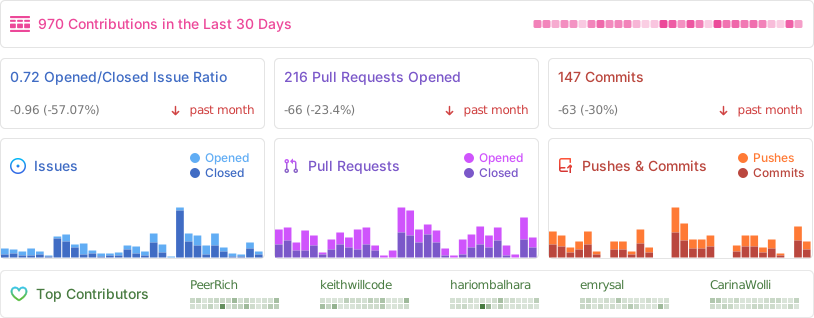
Repo Activity
Contributing
Please see our contributing guide.
Good First Issues
We have a list of help wanted that contain small features and bugs which have a relatively limited scope. This is a great place to get started, gain experience, and get familiar with our contribution process.
Bounties

Contributors
Translations
Don't code but still want to contribute? Join our Discussions and join the #Translate channel and let us know what language you want to translate.


Enabling Content Security Policy
- Set CSP_POLICY="non-strict" env variable, which enables Strict CSP except for unsafe-inline in style-src . If you have some custom changes in your instance, you might have to make some code change to make your instance CSP compatible. Right now it enables strict CSP only on login page and on other SSR pages it is enabled in Report only mode to detect possible issues. On, SSG pages it is still not supported.
Single Org Mode
Refer to docs here for a detailed documentation with screenshots.
Integrations
Obtaining the Google API Credentials
- Open Google API Console. If you don't have a project in your Google Cloud subscription, you'll need to create one before proceeding further. Under Dashboard pane, select Enable APIS and Services.
- In the search box, type calendar and select the Google Calendar API search result.
- Enable the selected API.
- Next, go to the OAuth consent screen from the side pane. Select the app type (Internal or External) and enter the basic app details on the first page.
- In the second page on Scopes, select Add or Remove Scopes. Search for Calendar.event and select the scope with scope value
.../auth/calendar.events,.../auth/calendar.readonlyand select Update. - In the third page (Test Users), add the Google account(s) you'll be using. Make sure the details are correct on the last page of the wizard and your consent screen will be configured.
- Now select Credentials from the side pane and then select Create Credentials. Select the OAuth Client ID option.
- Select Web Application as the Application Type.
- Under Authorized redirect URI's, select Add URI and then add the URI
<Cal.com URL>/api/integrations/googlecalendar/callbackand<Cal.com URL>/api/auth/callback/googlereplacing Cal.com URL with the URI at which your application runs. - The key will be created and you will be redirected back to the Credentials page. Select the newly generated client ID under OAuth 2.0 Client IDs.
- Select Download JSON. Copy the contents of this file and paste the entire JSON string in the
.envfile as the value forGOOGLE_API_CREDENTIALSkey.
Adding google calendar to Cal.com App Store
After adding Google credentials, you can now Google Calendar App to the app store. You can repopulate the App store by running
cd packages/prisma
yarn seed-app-store
You will need to complete a few more steps to activate Google Calendar App. Make sure to complete section "Obtaining the Google API Credentials". After that do the following
- Add extra redirect URL
<Cal.com URL>/api/auth/callback/google - Under 'OAuth consent screen', click "PUBLISH APP"
Obtaining Microsoft Graph Client ID and Secret
- Open Azure App Registration and select New registration
- Name your application
- Set Who can use this application or access this API? to Accounts in any organizational directory (Any Azure AD directory - Multitenant)
- Set the Web redirect URI to
<Cal.com URL>/api/integrations/office365calendar/callbackreplacing Cal.com URL with the URI at which your application runs. - Use Application (client) ID as the MS_GRAPH_CLIENT_ID attribute value in .env
- Click Certificates & secrets create a new client secret and use the value as the MS_GRAPH_CLIENT_SECRET attribute
Obtaining Zoom Client ID and Secret
- Open Zoom Marketplace and sign in with your Zoom account.
- On the upper right, click "Develop" => "Build App".
- Select "General App" , click "Create".
- Name your App.
- Choose "User-managed app" for "Select how the app is managed".
- De-select the option to publish the app on the Zoom App Marketplace, if asked.
- Now copy the Client ID and Client Secret to your
.envfile into theZOOM_CLIENT_IDandZOOM_CLIENT_SECRETfields. - Set the "OAuth Redirect URL" under "OAuth Information" as
<Cal.com URL>/api/integrations/zoomvideo/callbackreplacing Cal.com URL with the URI at which your application runs. - Also add the redirect URL given above as an allow list URL and enable "Subdomain check". Make sure, it says "saved" below the form.
- You don't need to provide basic information about your app. Instead click on "Scopes" and then on "+ Add Scopes". On the left,
- click the category "Meeting" and check the scope
meeting:write:meeting. - click the category "User" and check the scope
user:read:settings.
- click the category "Meeting" and check the scope
- Click "Done".
- You're good to go. Now you can easily add your Zoom integration in the Cal.com settings.
Obtaining Daily API Credentials
- Visit our Daily.co Partnership Form and enter your information
- From within your dashboard, go to the developers tab.
- Copy your API key.
- Now paste the API key to your
.envfile into theDAILY_API_KEYfield in your.envfile. - If you have the Daily Scale Plan set the
DAILY_SCALE_PLANvariable totruein order to use features like video recording.
Obtaining Basecamp Client ID and Secret
- Visit the 37 Signals Integrations Dashboard and sign in.
- Register a new application by clicking the Register one now link.
- Fill in your company details.
- Select Basecamp 4 as the product to integrate with.
- Set the Redirect URL for OAuth
<Cal.com URL>/api/integrations/basecamp3/callbackreplacing Cal.com URL with the URI at which your application runs. - Click on done and copy the Client ID and secret into the
BASECAMP3_CLIENT_IDandBASECAMP3_CLIENT_SECRETfields. - Set the
BASECAMP3_CLIENT_SECRETenv variable to{your_domain} ({support_email}). For example,Cal.com (support@cal.com).
Obtaining HubSpot Client ID and Secret
- Open HubSpot Developer and sign into your account, or create a new one.
- From within the home of the Developer account page, go to "Manage apps".
- Click "Create legacy app" button top right and select public app.
- Fill in any information you want in the "App info" tab
- Go to tab "Auth"
- Now copy the Client ID and Client Secret to your
.envfile into theHUBSPOT_CLIENT_IDandHUBSPOT_CLIENT_SECRETfields. - Set the Redirect URL for OAuth
<Cal.com URL>/api/integrations/hubspot/callbackreplacing Cal.com URL with the URI at which your application runs. - In the "Scopes" section at the bottom of the page, make sure you select "Read" and "Write" for scopes called
crm.objects.contactsandcrm.lists. - Click the "Save" button at the bottom footer.
- You're good to go. Now you can see any booking in Cal.com created as a meeting in HubSpot for your contacts.
Obtaining Webex Client ID and Secret
Obtaining ZohoCRM Client ID and Secret
- Open Zoho API Console and sign into your account, or create a new one.
- From within the API console page, go to "Applications".
- Click "ADD CLIENT" button top right and select "Server-based Applications".
- Fill in any information you want in the "Client Details" tab
- Go to tab "Client Secret" tab.
- Now copy the Client ID and Client Secret to your
.envfile into theZOHOCRM_CLIENT_IDandZOHOCRM_CLIENT_SECRETfields. - Set the Redirect URL for OAuth
<Cal.com URL>/api/integrations/zohocrm/callbackreplacing Cal.com URL with the URI at which your application runs. - In the "Settings" section check the "Multi-DC" option if you wish to use the same OAuth credentials for all data centers.
- Click the "Save"/ "UPDATE" button at the bottom footer.
- You're good to go. Now you can easily add your ZohoCRM integration in the Cal.com settings.
Obtaining Zoho Calendar Client ID and Secret
Obtaining Zoho Bigin Client ID and Secret
Obtaining Pipedrive Client ID and Secret
Workflows
Setting up SendGrid for Email reminders
- Create a SendGrid account (https://signup.sendgrid.com/)
- Go to Settings -> API keys and create an API key
- Copy API key to your
.envfile into theSENDGRID_API_KEYfield - Go to Settings -> Sender Authentication and verify a single sender
- Copy the verified E-Mail to your
.envfile into theSENDGRID_EMAILfield - Add your custom sender name to the
.envfile into theNEXT_PUBLIC_SENDGRID_SENDER_NAMEfield (fallback is Cal.com)
Setting up Twilio for SMS reminders
- Create a Twilio account (https://twilio.com/try-twilio)
- Click ‘Get a Twilio phone number’
- Copy Account SID to your
.envfile into theTWILIO_SIDfield - Copy Auth Token to your
.envfile into theTWILIO_TOKENfield - Copy your Twilio phone number to your
.envfile into theTWILIO_PHONE_NUMBERfield - Add your own sender ID to the
.envfile into theNEXT_PUBLIC_SENDER_IDfield (fallback is Cal.com) - Create a messaging service (Develop -> Messaging -> Services)
- Choose any name for the messaging service
- Click 'Add Senders'
- Choose phone number as sender type
- Add the listed phone number
- Leave all other fields as they are
- Complete setup and click ‘View my new Messaging Service’
- Copy Messaging Service SID to your
.envfile into theTWILIO_MESSAGING_SIDfield - Create a verify service
- Copy Verify Service SID to your
.envfile into theTWILIO_VERIFY_SIDfield
Changesets
We use changesets to generate changelogs and publish public packages (packages with private: true are ignored).
An example of good readme is atoms readme. Every public package must:
- Follow semantic versioning when using changesets.
- Mark breaking changes using
❗️Breaking change
License
Distributed under the AGPLv3 License. See LICENSE for more information.
Acknowledgements
Special thanks to these amazing projects which help power Cal.com:
Cal.com is an open startup and Jitsu (an open-source Segment alternative) helps us to track most of the usage metrics.