 Omar LópezSean BrydonCarina Wollendorferanik@cal.comDevin AIYadong ZhangamritAnik Dhabal BabuLauris SkraucisMorganBenny JooSomay ChauhanGitHub Actionsbenny@cal.comJoe Au-YeungKeith WilliamsEvan LiuTushar BhattHariom BalharaRonit RajRomit Gabaniromitsean-brydonPeer Richelseneunjae@cal.comEunjae LeeRajiv SahalAlex van AndelVijayJoe Au-Yeungkeith@cal.comSyed Ali Shahbazhariom@cal.comUdit TakkarCarinaWolli
* fix: sentry builds
* Update yarn.lock
* Upgrade Sentry
* Breaking changes
* Discard changes to apps/web/modules/connect-and-join/connect-and-join-view.tsx
* Discard changes to apps/web/modules/signup-view.tsx
* Discard changes to packages/app-store/make/pages/setup/index.tsx
* Discard changes to packages/app-store/zapier/pages/setup/index.tsx
* Discard changes to packages/emails/src/templates/AdminOrganizationNotificationEmail.tsx
* Discard changes to packages/features/eventtypes/components/tabs/apps/EventAppsTab.tsx
* Discard changes to packages/features/eventtypes/components/tabs/assignment/EventTeamAssignmentTab.tsx
* Discard changes to packages/features/eventtypes/components/tabs/webhooks/EventWebhooksTab.tsx
* Discard changes to packages/features/eventtypes/components/tabs/advanced/DisableAllEmailsSetting.tsx
* Discard changes to packages/emails/src/templates/BrokenIntegrationEmail.tsx
* Discard changes to packages/emails/src/templates/OrganizationCreationEmail.tsx
* Discard changes to packages/emails/src/templates/SlugReplacementEmail.tsx
* Discard changes to packages/emails/src/templates/TeamInviteEmail.tsx
* Discard changes to packages/features/bookings/Booker/components/BookEventForm/BookEventForm.tsx
* Discard changes to packages/features/bookings/Booker/components/OutOfOfficeInSlots.tsx
* Discard changes to packages/features/ee/teams/components/MemberInvitationModal.tsx
* Discard changes to packages/features/eventtypes/components/EditWeightsForAllTeamMembers.tsx
* Discard changes to packages/features/eventtypes/components/Locations.tsx
* Discard changes to packages/features/eventtypes/components/dialogs/ManagedEventDialog.tsx
* Discard changes to packages/features/eventtypes/components/tabs/advanced/RequiresConfirmationController.tsx
* Discard changes to packages/features/eventtypes/components/tabs/workflows/EventWorkfowsTab.tsx
* Discard changes to packages/features/settings/BookerLayoutSelector.tsx
* Discard changes to packages/features/settings/outOfOffice/OutOfOfficeEntriesList.tsx
* chore: upgrade dependencies and improve Sentry configuration
- Upgrade @sentry/nextjs to 9.13.0
- Upgrade next.js to 15.3.0
- Upgrade sharp to 0.34.1
- Update Sentry configuration files
- Add Sentry example files for testing
* chore: upgrade dependencies
- Upgrade next.js to 15.3.0
- Upgrade sharp to 0.34.1
* Update next.config.js
* Discard changes to packages/platform/atoms/connect/apple/AppleConnect.tsx
* build(apps/web): enabled Sentry source maps uploading.
* Create sentry-sourcemaps.yml
* fix: buggy skeleton rendering for month view (#20744)
* fix: trigger lingo.dev by removing duplicate value
* fix: buggy skeleton monthly view
* fix: Wrong schedule ID set for child managed event (#20745)
* fix: wrong schule id set for managed event
* Update handleChildrenEventTypes.ts
* feat: v2 book team events using teamSlug & eventTypeSlug (#20585)
* feat: v2 book team events using teamSlug & eventTypeSlug
* fix: tests
* fix: failing e2e test (#20751)
* feat: filter users by assigned attribute options (#20659)
* feat: assigned attributes options base
* feat: assigned attributes options base e2e
* feat: filter assigned options by other assigned options
* feat: filter assigned options by other assigned options
* fixup! feat: filter assigned options by other assigned options
* feat: get org users by assigned attributes
* adding missing input file
* push generated docs
* feat: add filter org users by teamIds
* feat: add filter assigned attribute options by teamIds
* chore; update doc
* chore: remove console log
* chore: minor e2e fix
* chore: minor e2e fix
* chore: improve docs
* fix: assigned options by teamIds + optionIds
* fix: Admin/owner unable to confirm managed bookings (#20743)
* fix: Admin/owner can't confirm managed booking
* Update confirm.handler.ts
* fix: v2 automatic round robin reassign error message (#20755)
* fix: return react fragment from all layout.tsx
* feat: add guards to stripe teams controller (#20540)
* feat: add guards to stripe teams controller
* remove logs and comments
* fix return type status
* refactor: move PlatformSubscription to a dedicated module
* reroute to `organizations/stripe/save` for teams
* fix: type errors
* feat: fixed it for conferencing apps
* feat: Add error handling and fallback URL support in Stripe callback
* Refactor OAuth callback handling and move token validation to service layer
* Add documentation for OAuth callback proxying in conferencing and stripe controllers
* Move OAuthCallbackState type from organizations to stripe service module
* chore: release v5.2.2
* perf: slim down middleware matcher (#20735)
* wip
* wip
* refactor
* add pathname
* fix
* fix: manually construct pathname for metadata functions
Co-Authored-By: benny@cal.com <benny@cal.com>
* fix: add pathname parameter to all metadata functions
Co-Authored-By: benny@cal.com <benny@cal.com>
* fix: add pathname parameter to remaining metadata functions
Co-Authored-By: benny@cal.com <benny@cal.com>
* fix
* fix
* fix type checks
* Refactor
* fix
* fix
---------
Co-authored-by: Devin AI <158243242+devin-ai-integration[bot]@users.noreply.github.com>
Co-authored-by: benny@cal.com <benny@cal.com>
* Skip flakey tests (#20761)
* Write UTM params to Salesforce (#20759)
* chore: Add consent message when SMS workflows are related (#20741)
* Add consent message
* Add consent message if using SMS workflow
* Skip flakey tests
* Revert "Skip flakey tests"
This reverts commit 3bd6f3fd71469df4dbd67b69b8e17011657df9d8.
* chore: Remove verbose logging (#20732)
* fix: offer seats broken (#20758)
* Remove trailing } from utm param (#20763)
* fix: only managed users assignable to managed team event (#20754)
* fix: only managed users assignable to managed team event
* chore: bump platform libraries
* feat: make skeleton for booking embed accurate (#20765)
* fix: trigger lingo.dev by removing duplicate value
* feat: make skeleton for booking embed accurate
* fix: calendar connect atoms (#20766)
* fix: header overlaps in month view on short viewport (#20749)
* fix: header overlaps in month view on short viewport
* refactor: Merge classes into same condition
* fix: Remove booker margin top if isEmbed
---------
Co-authored-by: Anik Dhabal Babu <81948346+anikdhabal@users.noreply.github.com>
Co-authored-by: Tushar Bhatt <95581504+TusharBhatt1@users.noreply.github.com>
Co-authored-by: amrit <iamamrit27@gmail.com>
* fx 404 for embed (#20120)
* Update rateLimit.ts (#20785)
* fix: v2 Sentry errors (#20788)
* fix: Only Team Event Types are supported for Instant Meeting
* refactor: Cannot read properties of undefined (reading 'timeZone')
* fix: Cannot read properties of undefined (reading 'map')
* refactor: rearrange function order
* refactor: booking_seats_full_error
* fix: invalid_round_robin_host
* refactor: booking_time_out_of_bounds_error
* refactor: Attempting to book a meeting in the past.
* fix: obj.phoneNumber.trim is not a function
* fix: Cannot use 'in' operator to search for 'disabled' in 1
* fix: Org onboarding handle error due to platform team being moved to regular org (#20786)
* Add better error logs and handle platform team
* Add better error logs and handle platform team
* fix: Wrong text EmbedTheme -> Theme (#20790)
* refactor: replace timeZone string validation with timeZoneSchema (#20719)
* refactor: replace timeZone string validation with timeZoneSchema - Replace all instances of timeZone: z.string() with timeZoneSchema - Preserve modifiers (.optional(), .default(), .nullish()) where present - Fix VideoApiAdapter to use organizer's timezone value - Remove redundant isSupportedTimeZone import from booking.ts - Add timeZoneSchema import where needed
* Update index.ts
* fix: conflicts
Signed-off-by: Omar López <zomars@me.com>
* Update yarn.lock
* Discard changes to yarn.lock
* Update booking.ts
* Discard changes to packages/platform/types/me.ts
* Discard changes to packages/platform/types/me/outputs/me.ts
* Discard changes to packages/platform/types/schedules/schedules-2024-04-15/schedules.ts
* Discard changes to packages/features/ee/cal-ai-phone/zod-utils.ts
---------
Signed-off-by: Omar López <zomars@me.com>
* fix: improved 'use-identity-login' error message for users trying to signInn using different provider (#20582)
* improved 'use-identity-login' error message for users trying to signin using different provider
* passing original identity provider as query parameter
* Update packages/features/auth/lib/next-auth-options.ts
* passed different error names for different types of error
---------
Co-authored-by: romit <romitgabani1@gmail.com>
Co-authored-by: Anik Dhabal Babu <81948346+anikdhabal@users.noreply.github.com>
Co-authored-by: Hariom Balhara <hariombalhara@gmail.com>
Co-authored-by: Tushar Bhatt <95581504+TusharBhatt1@users.noreply.github.com>
* fix: Location not changing when rescheduling (#20404)
* fix: location not chnging
* update
* update
* Update EventManager.ts
* update
* update
* Update reschedule.test.ts
---------
Co-authored-by: Tushar Bhatt <95581504+TusharBhatt1@users.noreply.github.com>
Co-authored-by: sean-brydon <55134778+sean-brydon@users.noreply.github.com>
Co-authored-by: Peer Richelsen <peeroke@gmail.com>
* fix: sms workflow api v2 (#20795)
* fix: sms workflow api v2
* fixup! fix: sms workflow api v2
* fix: semi-colon in the bottom of layout UI (#20799)
* chore: Add layout.tsx to Foundation team CODEOWNERS (#20802)
* chore: remove swagger app and its dependencies (#20798)
* chore: release v5.2.3
* fix: Convert an error in webhook to info (#20806)
* Convert error to info
* Convert error to info
* feat: add "React (Atom)" to embed generator and rename rest (#20618)
* fix: trigger lingo.dev by removing duplicate value
* feat: add support for React Atom embed options
* fix: update locator for React code tab in embed code generator E2E tests
* fix: update embed tab names to clarify iframe usage
* fix failing test
* fix: indentation and installation commands for atoms
* fix: add note about iframe usage in Preview tab
* refactor: replace Cal component with BookerEmbed in EmbedCodes
* fix: Add EmbedConfig type import in Embed.tsx
- Added missing EmbedConfig type to the existing types import
- Resolves TypeScript error "Cannot find name 'EmbedConfig'"
* fix: update BookerEmbed usage in EmbedCodes component
* fix: enhance BookerEmbed implementation and update installation instructions in EmbedTabs
* fix: improve comments in EmbedCodes for clarity on layout options and styling references
* fix: streamline BookerEmbed usage in EmbedCodes with improved class handling and layout options
* fix: embed type selection
* fix: update layout selection in EmbedCodes to use dynamic configuration
* fix: update embed configuration to use theme instead of layout
* fix: conditionally render embed options based on if we are selecting atom
* fix: use simple props instead of embed specific logic to fix the active embed bug
* Fix double tabs activeness
* Revert isCurrent change
---------
Co-authored-by: Hariom Balhara <hariombalhara@gmail.com>
* refactor: remove iframe usage note from Preview tab in EmbedTabs component (#20810)
* fix: trigger lingo.dev by removing duplicate value
* refactor: remove iframe usage note from Preview tab in EmbedTabs component
* fix: api v2 license check (#20813)
* fix: api v2 license check
* update cache key to avoid conflicts
* chore: Add more Foundation and Consumer team CODEOWNERS configuration (#20816)
* refactor: forbidden 403 v2 guard messages (#20794)
* refactor: delete unused proxy guard
* refactor: roles.guard.ts
* refactor: is-org.guard.ts
* refactor: permissions.guard.ts
* refactor: oauth-client-guard.ts
* refactor: is-user-event-type-webhook-guard.ts
* refactor: platform-plan.guard.ts
* refactor: roles.guard.ts
* refactor: cache guard result if canAccess=true
* refactor: is-admin-api-enabled.guard.ts
* refactor: is-team-in-org.guard.ts
* refactor: platform-plan.guard.ts
* refactor: is-webhook-in-org.guard.ts
* refactor: is-user-in-org.guard.ts
* refactor: is-user-webhook-guard.ts
* refactor: is-user-in-org-team.guard.ts
* refactor: is-membership-in-org.guard.ts
* refactor: is-oauth-client-webhook-guard.ts
* refactor: is-routing-form-in-team.guard.ts
* refactor: is-managed-org-in-manager-org.guard.ts
* fill the gaps
* refactor: api-auth.strategy.ts
* fix: test
* implement feedback
* fix: tests
* fix: refactor
* fix: test
* feat: update DeleteSegmentDialog to use ConfirmationDialogContent CAL-5399 (#20820)
Co-authored-by: Devin AI <158243242+devin-ai-integration[bot]@users.noreply.github.com>
Co-authored-by: eunjae@cal.com <eunjae@cal.com>
* feat: open dropdown right after adding a filter (#20819)
* feat: open dropdown right after adding a filter
* clean up timeout
* fix: remove window usage in not-found client (#20822)
* remove window usage in not-found client
* fix
* fix: user is already part of a team (#20774)
* better error message
* redirect to login if no user session
* fixup
* remove callback url since the same function is used by org and platform both
* remove extra exclamation mark
* implement PR feedback
* refactor: Remove kysely as its unused (#20817)
* perf: Fetch data server-side for Api Keys page (#20677)
* server-side fetching for api keys page
* refactor billing page
* fix
* simplify metadata in /availability/[schedule] route (#20827)
* feat: Optout of SMS workflows (#20769)
* Do not call dub if API key isn't present
* Add `WorkflowOptOutContact` table
* Add `sendTo` column to `WorkflowReminder`
* Add `workflowOptOutContactRepository`
* Add `WorkflowReminderRepository`
* Write `sendTo` number when scheduling SMS messages
* Add `p-limit` package
* Add `determineOptOutType` to `TwilioProvider`
* Add `deleteMultipleScheduledSMS`
* Create `WorkflowOptOutService`
* Add endpoint handler for Twilio SMS responses
* Add `isOptedOut` method to `workflowOptOutContactRepository`
* Verify phone number is not opted out before scheduling SMS
* Use `smsReminderNumber` instead of `sendTo`
* Type fix
* Add .env variable if opt out is available
* Add opt out message to SMS
* Import `pLimit` directly in method
* Address select comment
* Guard against undefined phone number from form
* Add early return to `deleteWorkflowReminders`
* Add request validation from Twilio
* Add fallback message as i18N string
* Only delete SMS attendee scheduled reminders
* chore: release v5.2.4
* fix: caching for sprite.svg (#20832)
* update cache-control header for sprite.svg
* updated regex
* fix: platform org members cannot access their public booking page (#20821)
* fix: platform member event pages
* chore: update slots docs
* refactor: user repository call
* refactor: remove newline
* refactor: Returns 400 error for ZodErrors (#20831)
* fix: eventType filter on /insights (#20823)
* fix: eventType filter on /insights
* remove log
* feat: custom reply To Email (#20771)
Co-authored-by: Joe Au-Yeung <j.auyeung419@gmail.com>
* feat(insights): add progress indicator to download button on /insights and /insights/routing (CAL-5408) (#20631)
* feat(insights): add progress indicator to routing form responses download button (CAL-5408)
Co-Authored-By: eunjae@cal.com <eunjae@cal.com>
* fix: address PR feedback - remove initial progress update and ensure no decimal parts in percentage
Co-Authored-By: eunjae@cal.com <eunjae@cal.com>
* feat(insights): add progress indicator to Download component
Co-Authored-By: eunjae@cal.com <eunjae@cal.com>
* feat: paginate rawData endpoint and implement batch fetching in Download component
Co-Authored-By: eunjae@cal.com <eunjae@cal.com>
* refactor: simplify pagination logic in trpc-router.ts
Co-Authored-By: eunjae@cal.com <eunjae@cal.com>
* show progress on tooltip
* fix download for /insights
* fix download when there is no data
* feat: replace tooltip progress indicator with toast notification
Co-Authored-By: eunjae@cal.com <eunjae@cal.com>
* fix: remove duplicate ProgressToast component from showToast.tsx
Co-Authored-By: eunjae@cal.com <eunjae@cal.com>
* fix: export ProgressToast component from index.ts
Co-Authored-By: eunjae@cal.com <eunjae@cal.com>
* fix: add missing translation for downloading_data
Co-Authored-By: eunjae@cal.com <eunjae@cal.com>
* update progress toast implementation
* fix error
---------
Co-authored-by: Devin AI <158243242+devin-ai-integration[bot]@users.noreply.github.com>
Co-authored-by: eunjae@cal.com <eunjae@cal.com>
Co-authored-by: Eunjae Lee <hey@eunjae.dev>
* perf: SSR for /teams (#20824)
* finish
* improve
* refactor
* add revalidations
* /settings/teams is not needed
* refactor
* rename
* redundant type casting
* perf: SSR - /availablilty/[schedule] (#20829)
* ssr for schedule page
* improve skeleton
* improve skeleton
* improve skeleton
* fix: getBookings max 1 month in the past when no date filters specified (#20911)
* fix: getBookings max 1 month in the past
* bump platform libraries
* Pass customReplyTo as a managed event type prop (#20909)
Co-authored-by: Anik Dhabal Babu <81948346+anikdhabal@users.noreply.github.com>
* chore: release v5.2.5
* fix: Docs for deleting reserved slot (#20922)
* feat: ability to hide organizer email (#20782)
* feat: hide orgainzer email
* fix type error
* update
* update
* Update schema.prisma
* perf: Slim down trpc queries in Settings Layout (#20918)
* slim down settings layout by removing server queries
* add check method
* fix type check
* refactor
* perf: remove next.redirect by going straight to event-types (#20920)
* perf: ssr for /settings/organizations/teams/other (#20927)
* refactor: v2 automatic team slugs (#20897)
* refactor: automatic team slugs
* refactor: automatic organizations team slugs
* refactor: automatic managed organizations slugs
* docs
* refactor: test
* feat: add loading component for /apps main page (#20924)
* perf: server-side fetching for /availability (#20804)
* availability
* refactor
* add loader
* improve
* update
* fix loader
* rename
* satisfying types
* refactor
* remove log
* add CTA to skeleton
* refactor
* fix revalidations
* refactor
* update
* finish
* fix: Include ordered attendees in booking select query (#20935)
* fix: correct ordering
* another
* docs: global platform event types and custom booking flows (#20940)
* docs: global event types
* docs: custom booking flow
* chore: release v5.2.6
* fix: v2 sentry errors (#20902)
* refactor: no_available_users_found_error for team event
* fix: hosts_unavailable_for_booking
* fix: Cannot read properties of undefined (reading 'replace')
* fix: Cannot read properties of undefined (reading 'phoneNumber')
* fix: No SelectedCalendar found.
* fix: Cannot read properties of undefined (reading 'length')
* refactor: add bookings errors service
* feat: add membership creation date to Organization Member List table (CAL-5406) (#20595)
* feat: add membership creation date to Organization Member List table (CAL-5406)
Co-Authored-By: keith@cal.com <keith@cal.com>
* feat: add migration for membership creation date (CAL-5406)
Co-Authored-By: keith@cal.com <keith@cal.com>
* feat: make createdAt and updatedAt nullable (CAL-5406)
Co-Authored-By: keith@cal.com <keith@cal.com>
* feat: add updatedAt column to Organization Member List table (CAL-5406)
Co-Authored-By: keith@cal.com <keith@cal.com>
* fix: use type assertion to access createdAt and updatedAt fields (CAL-5406)
Co-Authored-By: keith@cal.com <keith@cal.com>
* fix: display N/A for null date values (CAL-5406)
Co-Authored-By: keith@cal.com <keith@cal.com>
* fix: use proper type assertions for createdAt and updatedAt fields (CAL-5406)
Co-Authored-By: keith@cal.com <keith@cal.com>
* fix: add createdAt and updatedAt to UserTableUser mock in test (CAL-5406)
Co-Authored-By: keith@cal.com <keith@cal.com>
* feat: add PostgreSQL trigger for membership timestamps (CAL-5406)
Co-Authored-By: keith@cal.com <keith@cal.com>
* fix: use empty string instead of N/A and add translations for column headers (CAL-5406)
Co-Authored-By: keith@cal.com <keith@cal.com>
* add i18n text
* clean up type issue
* feat: add translation keys for column headers (CAL-5406)
Co-Authored-By: keith@cal.com <keith@cal.com>
* disable sort
* remove duplicated i18n texts
* feat: add filters for lastActiveAt, createdAt, and updatedAt (CAL-5406)
Co-Authored-By: keith@cal.com <keith@cal.com>
* support date range filter
* fix date range for end date
* hide columns by default
* revert wrong change
* add missing selects
* fix e2e test
* fix: remove PostgreSQL trigger and let application handle timestamps (CAL-5406)
Co-Authored-By: keith@cal.com <keith@cal.com>
* feat: add application-level timestamp handling for Membership model (CAL-5406)
Co-Authored-By: keith@cal.com <keith@cal.com>
* add more timestamp handling
* refactor: use Prisma's built-in decorators for Membership timestamps (CAL-5406)
Co-Authored-By: keith@cal.com <keith@cal.com>
* refactor: remove application-level timestamp handling in favor of Prisma decorators (CAL-5406)
Co-Authored-By: keith@cal.com <keith@cal.com>
* refactor: remove more application-level timestamp handling in favor of Prisma decorators (CAL-5406)
Co-Authored-By: keith@cal.com <keith@cal.com>
* fix e2e test
---------
Co-authored-by: Devin AI <158243242+devin-ai-integration[bot]@users.noreply.github.com>
Co-authored-by: keith@cal.com <keith@cal.com>
Co-authored-by: Anik Dhabal Babu <81948346+anikdhabal@users.noreply.github.com>
Co-authored-by: Eunjae Lee <hey@eunjae.dev>
* fix: Offset is required but not passed everywhere, default to zero. (#20917)
* fix: exclude email from replyTo (#20953)
* fix: exclude email from replyTo
* update
* Update scheduleEmailReminders.ts
* fix: added order by (#20959)
* fix: double end-date parsing when saving availability (#20963)
* fix: double end-date parsing when saving availablity
Signed-off-by: Omar López <zomars@me.com>
* fix: cache hits in current and next month
* Update CalendarService.test.ts
---------
Signed-off-by: Omar López <zomars@me.com>
* fix: Don't delete Cal video room upon requesting reschedule (#20969)
* Update requestReschedule.handler.ts
* Update requestReschedule.handler.ts
* chore: leverage error.tsx in app router (#20955)
* chore: better code - migrate getServerSideProps file directly to RSC for /apps (#20926)
* migrate getServerSideProps file directly to RSC for /apps
* fix
* fix: dont persist last booking response, temporarily (#20975)
* dont persist last booking response
* remove dead code to fix ts error
* perf: Improve performance of period limits (#20974)
* perf: Improve performance of period limits
* Type fixes
* Fixed correct check for instanceof -> isDayjs
* revert: "feat: add membership creation date to Organization Member List table (CAL-5406) (#20595)" (#20978)
This reverts commit d21f7ccbc8.
* perf: Add credentialId index to selectedCalendar (#20979)
* docs: add JSDoc documentation to FeaturesRepository class and methods (#20980)
* chore: release v5.2.7
* Handle acme.cal.local root path (#20981)
* Update sms-manager.ts (#20985)
* Do not retrieve already persisted data as well (#20982)
* perf: workflows—remove data fetching for metadata (#20734)
* Remove 30 seats minimum text from organization setup page (#20983)
Co-authored-by: Devin AI <158243242+devin-ai-integration[bot]@users.noreply.github.com>
Co-authored-by: hariom@cal.com <hariom@cal.com>
* fix: few details not populate (#20987)
* fix: cancel platform subscription on dashboard (#20787)
* add new endpoint to cancel user subscription
* remove comments
* add delete button to frontend
* update correct request method
* fixup
* frontend for cancelling subscription
* better warning message
* better function name
* update locales
* better error handling in case stripe api call fails
* rename teamId to organizationId
---------
Co-authored-by: Morgan <33722304+ThyMinimalDev@users.noreply.github.com>
* feat: added `hideOrganizerEmail` to api/v2/event-types (#21005)
* feat: added `hideOrganizerEmail` to api/v2/event-types
* updated docs
* fix: Skip already completed org onboarding, as webhook request can come when invoice is paid again next month (#20984)
* there is nothing to do for repeat invoice payment
* there is nothing to do for repeat invoice payment
* fix: wrong translation value (#17923)
* feat: ability to remove attendees from booking page
* update
* fix
* fix: unable to create meeting with ms teams (#20993)
* fix: few details not populate
* fix: unable to create meeting with ms teams
* Update CrmService.ts
* update
* fix: encoding bug (#21004)
* fix: encoding bug
* fix: use escapeValue
* perf: SSR - /event-types and /event-types/[type] (#20952)
* add revalidation
* ssr for event-types
* wip
* wip
* fix types
* fix skeleton
* better error component
* make skeleton better
* no need to export
* call revalidations early
* remove revalidations if not needed
* address comments
* address
* fix: schedule unscheduled emails with tasker in cron job (#20748)
Co-authored-by: CarinaWolli <wollencarina@gmail.com>
* fix: hide orgnizer email in cal video sidebar (#21011)
* refactor: Use Salesforce GraphQL for account ownership routing (#20655)
Co-authored-by: Omar López <zomars@me.com>
* fix: Handle calendar-cache with Delegation Credentials
Fixes CAL-5372
# Delegation Credentials with CalendarCache.
Following content is a snapshot of the [internal document](https://calendso.slack.com/docs/T08B8KA2BNF/F08L5JYU3V3)
**Problem-1 :**
CalendarCache needs SelectedCalendar records to work but SelectedCalendar record is only created when a user connects their calendar and then enables some calendar for conflict checking. Because with Delegation, no manual connection is done by any of the members, we need a way to create SelectedCalendar records automatically.
**Problem-2**
CalendarCache connects to credential(regular credential) which doesn’t exist for Delegation Credential scenario. Also, DelegationCredential is common for all the members(different from Credential which is different for different members) of the organization and we need to identify to which user the CalendarCache belongs.
**Solution for both problems**
- Create credential records for Delegation Credentials as well - Through Cron(new - we could schedule it every 5mins)
- Now create SelectedCalendar records for those Credential records - Through another Cron(new - we could schedule it every 5mins)
- Now CalendarCache records will automatically be created for those SelectedCalendar records -existing cron
## Fixed some Delegation Credentials bugs unrelated to calendar-cache
- If DestinationCalendar wasn't set(which is possible only with Delegation Credentials), then Google Meet wasn't used as a conferencing app - [Added a test]
- If no SelectedCalendar is there but Google Calendar connection exists(possible only with Delegation Credential) then we were not doing conflict checking. It is expected to not do it for Regular Credentials, but for Delegation Credential we must check for conflict in that case too [Added a test]
- Earlier if a user has Regular Credential as well as Delegation Credential for the same external id which is the member email(say member1@acme.com) then availability were retrieved twice because we weren't deduplicating credentials as it wasn't a trivial thing to do. Now that is being done.
**Env Variables:**
Note this PR doesn't introduce any new env variable. The existing env variable has been added to .env.example. But if this env variable isn't already set, it must be set.
`CALCOM_SERVICE_ACCOUNT_ENCRYPTION_KEY={SAME_AS_SET_FOR_V2_API}`
**Deployment Plan:**
1. Add Observability for SelectedCalendar when _error_ field is set
2. Follow https://github.com/calcom/cal.com/blob/calendar-cache-dwd-support/apps/web/app/(use-page-wrapper)/settings/(settings-layout)/organizations/delegation-credential/delegation-credential.md#setting-up-delegation-credential-for-google-calendar-api to enable Delegation Credential for i.cal.com
3. Note that to be able to see the option to enable Delegation Credential for an organization, you need to enable `teamFeature` and `feature` for `delegation-credential`
## Automation Tests
- Introduced tests for calendar-cache.repository.ts
- Tests all methods of the repository
- Added more tests for handleNewBooking/delegation-credential flow.
- Added test to verify the bug fix when no DestinationCalendar exists and Google Meet should be used still
- Added more tests for Google Calendar/CalendarService targeting DelegationCredential
- Added more tests for getCalendarsEvents.
- To test the new logic of calling getAvailability still if there are no selectedCalendars in case of Delegation Credential
- Also introduced tests for `getAvailabitlityWithTimezones` which was an existing function but now has some new changes.
- Added tests for deduplication logic in CalendarManager.ts
## How to Test
Enable Calendar Cache and Delegation Credential feature for acme org through `features` and `teamFeatures` tables.
- Enable Delegation Credential for acme org
- Enable atleast 1 calendar for conflict checking for one of the users(say owner1)
- Ensure GOOGLE_WEBHOOK_TOKEN is set in .env file
- Ensure GOOGLE_WEBHOOK_URL is set to ngrok url of webapp in .env file
- Hit cron endpoint `curl http://localhost:3000/api/calendar-cache/cron\?apiKey\={API_KEY}` that would cache the freebusy result for the selected calendars
Followup
- https://github.com/calcom/cal.com/pull/20698
- https://github.com/calcom/cal.com/pull/18619/files#r2046795643
* fix: UI Bug - ToggleGroup (#20997)
* fix #20986: UI Bug - ToggleGroup
* some changes
* some changes
* feat: /skip trial for teams (#20753)
* skip team trials
* add loading state
* update mocks
* cleanup
* add import oops
* fix tests files
---------
Co-authored-by: Sean Brydon <sean@Seans-Mac-mini.local>
Co-authored-by: Carina Wollendorfer <30310907+CarinaWolli@users.noreply.github.com>
* fix: cleanup html reports when pr is merged/closed (#20089)
Co-authored-by: anik@cal.com <anik@cal.com>
Co-authored-by: Devin AI <158243242+devin-ai-integration[bot]@users.noreply.github.com>
* fix: allow only platform organisation or non-platform organisation (#20972)
* fix: platform customers cant subscribe to organizations plan
* fix: organization customers cant subscribe to platform plan
* chore: format calendar events to remove oauthClientIds (#21040)
* fix: meeting link fails when host requests to reschedule (#20999)
* fix: meeting link fails when host requests to reschedule
* Update EventManager.ts
* fixes
* Incorportate prisma integration
* Update package.json
* Delete apps/web/app/sentry-example-page/page.tsx
* Discard changes to packages/features/insights/server/trpc-router.ts
* Delete .github/workflows/sentry-sourcemaps.yml
* Delete apps/web/app/api/sentry-example-api/route.ts
* Update turbo.json
* Delete sentry.client.config.ts
* Delete sentry.client.config.ts
* fix
* Update package.json
* Update next.config.js
* Update package.json
* Update yarn.lock
* Discard changes to .env.example
* Discard changes to packages/embeds/embed-react/package.json
* Discard changes to packages/platform/atoms/package.json
* Discard changes to packages/features/ee/teams/components/TeamsListing.tsx
* Update instrumentation-client.ts
* Update instrumentation-client.ts
* Update sentry.edge.config.ts
* Update next.config.js
---------
Signed-off-by: Omar López <zomars@me.com>
Co-authored-by: Yadong Zhang <zhyd007@gmail.com>
Co-authored-by: amrit <iamamrit27@gmail.com>
Co-authored-by: Anik Dhabal Babu <81948346+anikdhabal@users.noreply.github.com>
Co-authored-by: Lauris Skraucis <lauris.skraucis@gmail.com>
Co-authored-by: Morgan <33722304+ThyMinimalDev@users.noreply.github.com>
Co-authored-by: Benny Joo <sldisek783@gmail.com>
Co-authored-by: Somay Chauhan <somaychauhan98@gmail.com>
Co-authored-by: GitHub Actions <github-actions@github.com>
Co-authored-by: Devin AI <158243242+devin-ai-integration[bot]@users.noreply.github.com>
Co-authored-by: benny@cal.com <benny@cal.com>
Co-authored-by: Joe Au-Yeung <65426560+joeauyeung@users.noreply.github.com>
Co-authored-by: Keith Williams <keithwillcode@gmail.com>
Co-authored-by: Evan Liu <evanliu.dev@gmail.com>
Co-authored-by: Tushar Bhatt <95581504+TusharBhatt1@users.noreply.github.com>
Co-authored-by: Hariom Balhara <hariombalhara@gmail.com>
Co-authored-by: Ronit Raj <ronitrajofficial7@gmail.com>
Co-authored-by: Romit Gabani <85230081+romitg2@users.noreply.github.com>
Co-authored-by: romit <romitgabani1@gmail.com>
Co-authored-by: sean-brydon <55134778+sean-brydon@users.noreply.github.com>
Co-authored-by: Peer Richelsen <peeroke@gmail.com>
Co-authored-by: eunjae@cal.com <eunjae@cal.com>
Co-authored-by: Eunjae Lee <hey@eunjae.dev>
Co-authored-by: Rajiv Sahal <sahalrajiv-extc@atharvacoe.ac.in>
Co-authored-by: Alex van Andel <me@alexvanandel.com>
Co-authored-by: Vijay <vijayraghav22@gmail.com>
Co-authored-by: Joe Au-Yeung <j.auyeung419@gmail.com>
Co-authored-by: keith@cal.com <keith@cal.com>
Co-authored-by: Syed Ali Shahbaz <52925846+alishaz-polymath@users.noreply.github.com>
Co-authored-by: hariom@cal.com <hariom@cal.com>
Co-authored-by: Udit Takkar <53316345+Udit-takkar@users.noreply.github.com>
Co-authored-by: Carina Wollendorfer <30310907+CarinaWolli@users.noreply.github.com>
Co-authored-by: CarinaWolli <wollencarina@gmail.com>
Co-authored-by: Sean Brydon <sean@Seans-Mac-mini.local>
Co-authored-by: anik@cal.com <anik@cal.com>

Cal.com (formerly Calendso)
The open-source Calendly successor.
Learn more »
Discussions
·
Website
·
Issues
·
Roadmap














About the Project
Scheduling infrastructure for absolutely everyone
The open source Calendly successor. You are in charge of your own data, workflow, and appearance.
Calendly and other scheduling tools are awesome. It made our lives massively easier. We're using it for business meetings, seminars, yoga classes, and even calls with our families. However, most tools are very limited in terms of control and customization.
That's where Cal.com comes in. Self-hosted or hosted by us. White-label by design. API-driven and ready to be deployed on your own domain. Full control of your events and data.
Recognition
Hacker News
Product Hunt



Built With
Contact us
Meet our sales team for any commercial inquiries.

Stay Up-to-Date
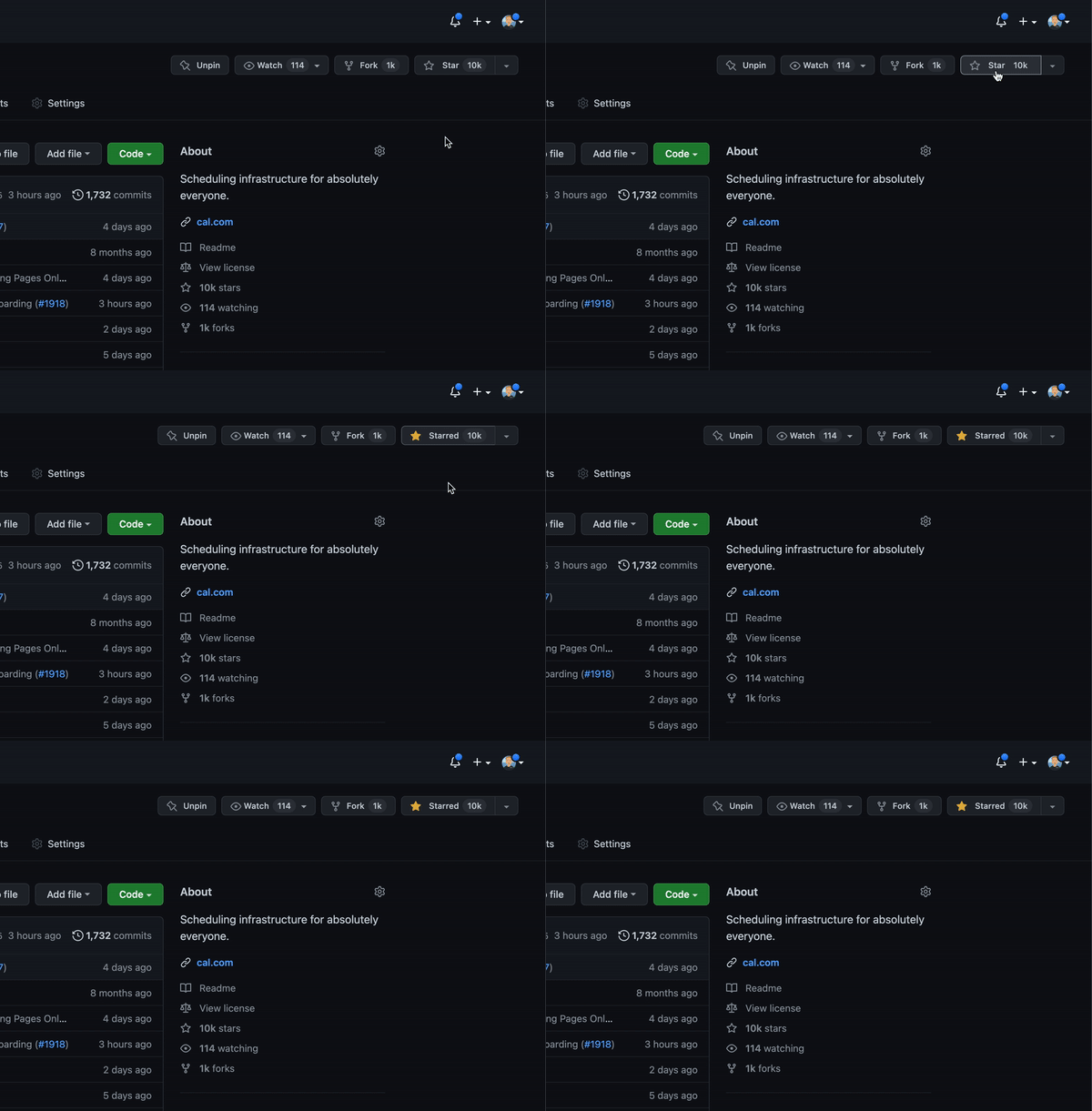
Cal.com officially launched as v.1.0 on the 15th of September 2021 and we've come a long way so far. Watch releases of this repository to be notified of future updates:
Getting Started
To get a local copy up and running, please follow these simple steps.
Prerequisites
Here is what you need to be able to run Cal.com.
- Node.js (Version: >=18.x)
- PostgreSQL (Version: >=13.x)
- Yarn (recommended)
If you want to enable any of the available integrations, you may want to obtain additional credentials for each one. More details on this can be found below under the integrations section.
Development
Setup
-
Clone the repo into a public GitHub repository (or fork https://github.com/calcom/cal.com/fork). If you plan to distribute the code, keep the source code public to comply with AGPLv3. To clone in a private repository, acquire a commercial license
git clone https://github.com/calcom/cal.com.gitIf you are on Windows, run the following command on
gitbashwith admin privileges:
>git clone -c core.symlinks=true https://github.com/calcom/cal.com.git
See docs for more details. -
Go to the project folder
cd cal.com -
Install packages with yarn
yarn -
Set up your
.envfile- Duplicate
.env.exampleto.env - Use
openssl rand -base64 32to generate a key and add it underNEXTAUTH_SECRETin the.envfile. - Use
openssl rand -base64 32to generate a key and add it underCALENDSO_ENCRYPTION_KEYin the.envfile.
- Duplicate
-
Setup Node If your Node version does not meet the project's requirements as instructed by the docs, "nvm" (Node Version Manager) allows using Node at the version required by the project:
nvm useYou first might need to install the specific version and then use it:
nvm install && nvm useYou can install nvm from here.
Quick start with yarn dx
- Requires Docker and Docker Compose to be installed
- Will start a local Postgres instance with a few test users - the credentials will be logged in the console
yarn dx
Development tip
-
Add
export NODE_OPTIONS=“--max-old-space-size=16384”to your shell script to increase the memory limit for the node process. Alternatively, you can run this in your terminal before running the app. Replace 16384 with the amount of RAM you want to allocate to the node process. -
Add
NEXT_PUBLIC_LOGGER_LEVEL={level}to your .env file to control the logging verbosity for all tRPC queries and mutations.
Where {level} can be one of the following:0for silly
1for trace
2for debug
3for info
4for warn
5for error
6for fatalWhen you set
NEXT_PUBLIC_LOGGER_LEVEL={level}in your .env file, it enables logging at that level and higher. Here's how it works:The logger will include all logs that are at the specified level or higher. For example: \
- If you set
NEXT_PUBLIC_LOGGER_LEVEL=2, it will log from level 2 (debug) upwards, meaning levels 2 (debug), 3 (info), 4 (warn), 5 (error), and (fatal) will be logged. \ - If you set
NEXT_PUBLIC_LOGGER_LEVEL=3, it will log from level 3 (info) upwards, meaning levels 3 (info), 4 (warn), 5 (error), and 6 (fatal) will be logged, but level 2 (debug) and level 1 (trace) will be ignored. \
- If you set
echo 'NEXT_PUBLIC_LOGGER_LEVEL=3' >> .env
for Logger level to be set at info, for example.
Gitpod Setup
-
Click the button below to open this project in Gitpod.
-
This will open a fully configured workspace in your browser with all the necessary dependencies already installed.

Manual setup
-
Configure environment variables in the
.envfile. Replace<user>,<pass>,<db-host>, and<db-port>with their applicable valuesDATABASE_URL='postgresql://<user>:<pass>@<db-host>:<db-port>'If you don't know how to configure the DATABASE_URL, then follow the steps here to create a quick local DB
-
Download and install postgres in your local (if you don't have it already).
-
Create your own local db by executing
createDB <DB name> -
Now open your psql shell with the DB you created:
psql -h localhost -U postgres -d <DB name> -
Inside the psql shell execute
\conninfo. And you will get the following info.

-
Now extract all the info and add it to your DATABASE_URL. The url would look something like this
postgresql://postgres:postgres@localhost:5432/Your-DB-Name. The port is configurable and does not have to be 5432.
If you don't want to create a local DB. Then you can also consider using services like railway.app or render.
-
-
Copy and paste your
DATABASE_URLfrom.envto.env.appStore. -
Set up the database using the Prisma schema (found in
packages/prisma/schema.prisma)In a development environment, run:
yarn workspace @calcom/prisma db-migrateIn a production environment, run:
yarn workspace @calcom/prisma db-deploy -
Run mailhog to view emails sent during development
NOTE: Required when
E2E_TEST_MAILHOG_ENABLEDis "1"docker pull mailhog/mailhog docker run -d -p 8025:8025 -p 1025:1025 mailhog/mailhog -
Run (in development mode)
yarn dev
Setting up your first user
Approach 1
-
Open Prisma Studio to look at or modify the database content:
yarn db-studio -
Click on the
Usermodel to add a new user record. -
Fill out the fields
email,username,password, and setmetadatato empty{}(remembering to encrypt your password with BCrypt) and clickSave 1 Recordto create your first user.New users are set on a
TRIALplan by default. You might want to adjust this behavior to your needs in thepackages/prisma/schema.prismafile. -
Open a browser to http://localhost:3000 and login with your just created, first user.
Approach 2
Seed the local db by running
cd packages/prisma
yarn db-seed
The above command will populate the local db with dummy users.
E2E-Testing
Be sure to set the environment variable NEXTAUTH_URL to the correct value. If you are running locally, as the documentation within .env.example mentions, the value should be http://localhost:3000.
# In a terminal just run:
yarn test-e2e

# To open the last HTML report run:
yarn playwright show-report test-results/reports/playwright-html-report
Resolving issues
E2E test browsers not installed
Run npx playwright install to download test browsers and resolve the error below when running yarn test-e2e:
Executable doesn't exist at /Users/alice/Library/Caches/ms-playwright/chromium-1048/chrome-mac/Chromium.app/Contents/MacOS/Chromium
Upgrading from earlier versions
-
Pull the current version:
git pull -
Check if dependencies got added/updated/removed
yarn -
Apply database migrations by running one of the following commands:
In a development environment, run:
yarn workspace @calcom/prisma db-migrate(This can clear your development database in some cases)
In a production environment, run:
yarn workspace @calcom/prisma db-deploy -
Check for
.envvariables changesyarn predev -
Start the server. In a development environment, just do:
yarn devFor a production build, run for example:
yarn build yarn start -
Enjoy the new version.
Deployment
Docker
The Docker configuration for Cal.com is an effort powered by people within the community.
If you want to contribute to the Docker repository, reply here.
The Docker configuration can be found in our docker repository.
Issues with Docker? Find your answer or open a new discussion here to ask the community.
Cal.com, Inc. does not provide official support for Docker, but we will accept fixes and documentation. Use at your own risk.
Railway

You can deploy Cal.com on Railway using the button above. The team at Railway also have a detailed blog post on deploying Cal.com on their platform.
Vercel
Currently Vercel Pro Plan is required to be able to Deploy this application with Vercel, due to limitations on the number of serverless functions on the free plan.
Render

Elestio

Roadmap

See the roadmap project for a list of proposed features (and known issues). You can change the view to see planned tagged releases.
License
Cal.com, Inc. is a commercial open source company, which means some parts of this open source repository require a commercial license. The concept is called "Open Core" where the core technology (99%) is fully open source, licensed under AGPLv3 and the last 1% is covered under a commercial license ("/ee" Enterprise Edition) which we believe is entirely relevant for larger organisations that require enterprise features. Enterprise features are built by the core engineering team of Cal.com, Inc. which is hired in full-time. Find their compensation on https://cal.com/open.
Note
Our philosophy is simple, all "Singleplayer APIs" are open-source under AGPLv3. All commercial "Multiplayer APIs" are under a commercial license.
| AGPLv3 | EE | |
|---|---|---|
| Self-host for commercial purposes | ✅ | ✅ |
| Clone privately | ✅ | ✅ |
| Fork publicly | ✅ | ✅ |
| Requires CLA | ✅ | ✅ |
| Official Support | ❌ | ✅ |
| Derivative work privately | ❌ | ✅ |
| SSO | ❌ | ✅ |
| Admin Panel | ❌ | ✅ |
| Impersonation | ❌ | ✅ |
| Managed Event Types | ❌ | ✅ |
| Organizations | ❌ | ✅ |
| Payments | ❌ | ✅ |
| Platform | ❌ | ✅ |
| Teams | ❌ | ✅ |
| Users | ❌ | ✅ |
| Video | ❌ | ✅ |
| Workflows | ❌ | ✅ |
Tip
We work closely with the community and always invite feedback about what should be open and what is fine to be commercial. This list is not set and stone and we have moved things from commercial to open in the past. Please open a discussion if you feel like something is wrong.
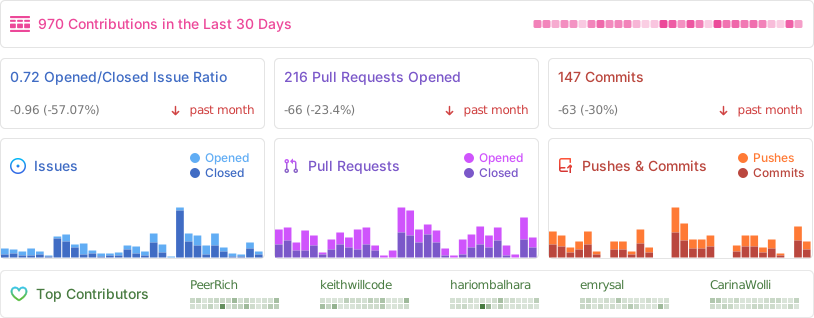
Repo Activity
Contributing
Please see our contributing guide.
Good First Issues
We have a list of help wanted that contain small features and bugs which have a relatively limited scope. This is a great place to get started, gain experience, and get familiar with our contribution process.
Bounties

Contributors
Translations
Don't code but still want to contribute? Join our Discussions and join the #Translate channel and let us know what language you want to translate.


Enabling Content Security Policy
- Set CSP_POLICY="non-strict" env variable, which enables Strict CSP except for unsafe-inline in style-src . If you have some custom changes in your instance, you might have to make some code change to make your instance CSP compatible. Right now it enables strict CSP only on login page and on other SSR pages it is enabled in Report only mode to detect possible issues. On, SSG pages it is still not supported.
Single Org Mode
If you want to have booker.yourcompany.com to be the domain used for both dashboard(e.g. https://booker.yourcompany.com/event-types) and booking pages(e.g. https://booker.yourcompany.com/john.joe/15min).
- Set the
NEXT_PUBLIC_SINGLE_ORG_SLUGenvironment variable to the slug of the organization you want to use.NEXT_PUBLIC_SINGLE_ORG_SLUG=booker - Set the
NEXT_PUBLIC_WEBAPP_URLenvironment variable to the URL of the Cal.com self-hosted instance e.g.NEXT_PUBLIC_WEBAPP_URL=https://booker.yourcompany.com. - Set the
NEXT_PUBLIC_WEBSITE_URLenvironment variable to the URL of the Cal.com self-hosted instance e.g.NEXT_PUBLIC_WEBSITE_URL=https://booker.yourcompany.com. - Set the
NEXTAUTH_URLenvironment variable to the URL of the Cal.com self-hosted instance e.g.NEXTAUTH_URL=https://booker.yourcompany.com.
Note: It causes root to serve the dashboard and not the organization profile page which shows all bookable users in the organization.
Integrations
Obtaining the Google API Credentials
- Open Google API Console. If you don't have a project in your Google Cloud subscription, you'll need to create one before proceeding further. Under Dashboard pane, select Enable APIS and Services.
- In the search box, type calendar and select the Google Calendar API search result.
- Enable the selected API.
- Next, go to the OAuth consent screen from the side pane. Select the app type (Internal or External) and enter the basic app details on the first page.
- In the second page on Scopes, select Add or Remove Scopes. Search for Calendar.event and select the scope with scope value
.../auth/calendar.events,.../auth/calendar.readonlyand select Update. - In the third page (Test Users), add the Google account(s) you'll be using. Make sure the details are correct on the last page of the wizard and your consent screen will be configured.
- Now select Credentials from the side pane and then select Create Credentials. Select the OAuth Client ID option.
- Select Web Application as the Application Type.
- Under Authorized redirect URI's, select Add URI and then add the URI
<Cal.com URL>/api/integrations/googlecalendar/callbackand<Cal.com URL>/api/auth/callback/googlereplacing Cal.com URL with the URI at which your application runs. - The key will be created and you will be redirected back to the Credentials page. Select the newly generated client ID under OAuth 2.0 Client IDs.
- Select Download JSON. Copy the contents of this file and paste the entire JSON string in the
.envfile as the value forGOOGLE_API_CREDENTIALSkey.
Adding google calendar to Cal.com App Store
After adding Google credentials, you can now Google Calendar App to the app store. You can repopulate the App store by running
cd packages/prisma
yarn seed-app-store
You will need to complete a few more steps to activate Google Calendar App. Make sure to complete section "Obtaining the Google API Credentials". After that do the following
- Add extra redirect URL
<Cal.com URL>/api/auth/callback/google - Under 'OAuth consent screen', click "PUBLISH APP"
Obtaining Microsoft Graph Client ID and Secret
- Open Azure App Registration and select New registration
- Name your application
- Set Who can use this application or access this API? to Accounts in any organizational directory (Any Azure AD directory - Multitenant)
- Set the Web redirect URI to
<Cal.com URL>/api/integrations/office365calendar/callbackreplacing Cal.com URL with the URI at which your application runs. - Use Application (client) ID as the MS_GRAPH_CLIENT_ID attribute value in .env
- Click Certificates & secrets create a new client secret and use the value as the MS_GRAPH_CLIENT_SECRET attribute
Obtaining Zoom Client ID and Secret
- Open Zoom Marketplace and sign in with your Zoom account.
- On the upper right, click "Develop" => "Build App".
- Select "General App" , click "Create".
- Name your App.
- Choose "User-managed app" for "Select how the app is managed".
- De-select the option to publish the app on the Zoom App Marketplace, if asked.
- Now copy the Client ID and Client Secret to your
.envfile into theZOOM_CLIENT_IDandZOOM_CLIENT_SECRETfields. - Set the "OAuth Redirect URL" under "OAuth Information" as
<Cal.com URL>/api/integrations/zoomvideo/callbackreplacing Cal.com URL with the URI at which your application runs. - Also add the redirect URL given above as an allow list URL and enable "Subdomain check". Make sure, it says "saved" below the form.
- You don't need to provide basic information about your app. Instead click on "Scopes" and then on "+ Add Scopes". On the left,
- click the category "Meeting" and check the scope
meeting:write:meeting. - click the category "User" and check the scope
user:read:settings.
- click the category "Meeting" and check the scope
- Click "Done".
- You're good to go. Now you can easily add your Zoom integration in the Cal.com settings.
Obtaining Daily API Credentials
- Visit our Daily.co Partnership Form and enter your information
- From within your dashboard, go to the developers tab.
- Copy your API key.
- Now paste the API key to your
.envfile into theDAILY_API_KEYfield in your.envfile. - If you have the Daily Scale Plan set the
DAILY_SCALE_PLANvariable totruein order to use features like video recording.
Obtaining Basecamp Client ID and Secret
- Visit the 37 Signals Integrations Dashboard and sign in.
- Register a new application by clicking the Register one now link.
- Fill in your company details.
- Select Basecamp 4 as the product to integrate with.
- Set the Redirect URL for OAuth
<Cal.com URL>/api/integrations/basecamp3/callbackreplacing Cal.com URL with the URI at which your application runs. - Click on done and copy the Client ID and secret into the
BASECAMP3_CLIENT_IDandBASECAMP3_CLIENT_SECRETfields. - Set the
BASECAMP3_CLIENT_SECRETenv variable to{your_domain} ({support_email}). For example,Cal.com (support@cal.com).
Obtaining HubSpot Client ID and Secret
- Open HubSpot Developer and sign into your account, or create a new one.
- From within the home of the Developer account page, go to "Manage apps".
- Click "Create app" button top right.
- Fill in any information you want in the "App info" tab
- Go to tab "Auth"
- Now copy the Client ID and Client Secret to your
.envfile into theHUBSPOT_CLIENT_IDandHUBSPOT_CLIENT_SECRETfields. - Set the Redirect URL for OAuth
<Cal.com URL>/api/integrations/hubspot/callbackreplacing Cal.com URL with the URI at which your application runs. - In the "Scopes" section at the bottom of the page, make sure you select "Read" and "Write" for scope called
crm.objects.contacts - Click the "Save" button at the bottom footer.
- You're good to go. Now you can see any booking in Cal.com created as a meeting in HubSpot for your contacts.
Obtaining Webex Client ID and Secret
Obtaining ZohoCRM Client ID and Secret
- Open Zoho API Console and sign into your account, or create a new one.
- From within the API console page, go to "Applications".
- Click "ADD CLIENT" button top right and select "Server-based Applications".
- Fill in any information you want in the "Client Details" tab
- Go to tab "Client Secret" tab.
- Now copy the Client ID and Client Secret to your
.envfile into theZOHOCRM_CLIENT_IDandZOHOCRM_CLIENT_SECRETfields. - Set the Redirect URL for OAuth
<Cal.com URL>/api/integrations/zohocrm/callbackreplacing Cal.com URL with the URI at which your application runs. - In the "Settings" section check the "Multi-DC" option if you wish to use the same OAuth credentials for all data centers.
- Click the "Save"/ "UPDATE" button at the bottom footer.
- You're good to go. Now you can easily add your ZohoCRM integration in the Cal.com settings.
Obtaining Zoho Calendar Client ID and Secret
Obtaining Zoho Bigin Client ID and Secret
Obtaining Pipedrive Client ID and Secret
Workflows
Setting up SendGrid for Email reminders
- Create a SendGrid account (https://signup.sendgrid.com/)
- Go to Settings -> API keys and create an API key
- Copy API key to your
.envfile into theSENDGRID_API_KEYfield - Go to Settings -> Sender Authentication and verify a single sender
- Copy the verified E-Mail to your
.envfile into theSENDGRID_EMAILfield - Add your custom sender name to the
.envfile into theNEXT_PUBLIC_SENDGRID_SENDER_NAMEfield (fallback is Cal.com)
Setting up Twilio for SMS reminders
- Create a Twilio account (https://twilio.com/try-twilio)
- Click ‘Get a Twilio phone number’
- Copy Account SID to your
.envfile into theTWILIO_SIDfield - Copy Auth Token to your
.envfile into theTWILIO_TOKENfield - Copy your Twilio phone number to your
.envfile into theTWILIO_PHONE_NUMBERfield - Add your own sender ID to the
.envfile into theNEXT_PUBLIC_SENDER_IDfield (fallback is Cal.com) - Create a messaging service (Develop -> Messaging -> Services)
- Choose any name for the messaging service
- Click 'Add Senders'
- Choose phone number as sender type
- Add the listed phone number
- Leave all other fields as they are
- Complete setup and click ‘View my new Messaging Service’
- Copy Messaging Service SID to your
.envfile into theTWILIO_MESSAGING_SIDfield - Create a verify service
- Copy Verify Service SID to your
.envfile into theTWILIO_VERIFY_SIDfield
License
Distributed under the AGPLv3 License. See LICENSE for more information.
Acknowledgements
Special thanks to these amazing projects which help power Cal.com:
Cal.com is an open startup and Jitsu (an open-source Segment alternative) helps us to track most of the usage metrics.